
Permute 4.0.1 for Mac

Permute
Name:Permute 4.0.1.dmg.torrent (74.64MB)
Review by:
Downloads 1,109
Rating
4.6 35 Click to rate
Checked
   Download Torrent Download Now

Permute 4.0.1 for Mac

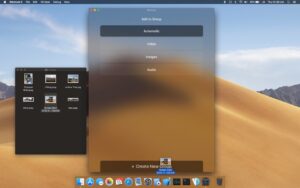
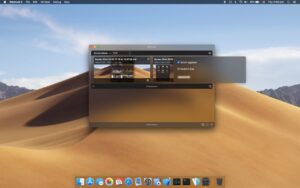
Permute 4 is a native macOS media converter from Charlie Monroe Software that handles video, audio, images, PDFs, and text-based workflows in a single drag-and-drop queue.

What Permute does

Permute converts between a wide range of formats (including MP4, HEVC, ProRes, WebM, AV1, MP3, AAC, FLAC, HEIC, and more), and supports editing steps such as trim, crop, resize, rotate, subtitle handling, track reordering, metadata edits, and file stitching or splitting. Drop zones and preset previews help automate repetitive conversion tasks.

Version 4 is a full redesign of the app: new UI, reworked trim/crop tools (waveform for audio, pixel rulers for video/images), integrated workshop actions in the main queue, hardware-accelerated ProRes, Low Power Mode, and an Advanced Custom preset with direct FFmpeg access for power users.

Who it is for

It suits creators, editors, support teams, and everyday Mac users who need reliable batch conversions without opening a full NLE or command-line toolchain for every job.

Version 4.0.1

Released 27 May 2026, version 4.0.1 is a focused follow-up to the Permute 4.0 launch (26 May 2026). Official notes add HEIC extension control, optional QuickTime metadata copying in video presets, a crash fix for RAW custom presets, and a fix for subtitle delay when burning subtitles into video.

Requirements and licensing

Permute 4 requires macOS 26 or later and an Apple Silicon Mac. Intel Macs and older macOS versions should stay on Permute 3. Licensing is a one-time purchase (about $14.99 on the vendor site, regional pricing may vary), with trial, Setapp, and upgrade paths from Permute 3 documented on charliemonroe.net.
Pros & Cons Show details

✅ PROS

  • One app covers conversion, trimming, cropping, track management, and many format-specific presets.
  • Permute 4 UI and workflow are faster for batch jobs than juggling multiple single-purpose tools.
  • Hardware-accelerated ProRes and smart queue behavior improve throughput on Apple Silicon Macs.
  • 4.0.1 fixes practical edge cases (RAW custom presets, burned-in subtitle timing) that matter in real projects.
  • No subscription required for the direct license; Setapp remains an option for multi-app users.

❌ CONS

  • Permute 4 excludes Intel Macs and macOS versions below 26, so many existing users must stay on Permute 3.
  • App Store distribution is limited compared with the direct build (sandbox and upgrade constraints per vendor FAQ).
  • Advanced FFmpeg workflows still require technical knowledge despite the friendlier UI.
  • 4.0.1 is a small patch; most headline features arrived in 4.0, not this build.
  • Large batch jobs can still consume significant disk space and time despite Low Power Mode.
✅ What's New in 4.0.1 Show details
  1. [HEIC preset] — Added option to choose .heif or .heic file extension in the HEIC preset.
  2. [Video presets metadata] — Added option to skip copying QuickTime metadata in video presets.
  3. [RAW custom presets] — Fixed a crash in custom presets that use RAW video format.
  4. [Burned subtitles] — Fixed subtitle file delay being ignored when burning subtitles into video.
  5. [Release context] — 4.0.1 is the first maintenance update after the Permute 4.0 major release on 26 May 2026.

Older Versions

Version Publication date
Permute v4.0.5 Latest
Permute v4.0.4
Permute v4.0.3
Permute v4.0.1 Current
Permute v3.14.4
Permute v3.14.3
Permute v3.14.2
Permute v3.14.1
Permute v3.14.0
Permute v3.13.6
Permute 3.13.5 (2859) v3.13.5.2859
Permute v3.13.5
Permute v3.13.4
Permute v3.13.3
Permute v3.13.2
Permute v3.13.1
Permute v3.13.0
Permute v3.12.6
Permute v3.12.4
Permute v3.12.3
Permute v3.12.2
Permute v3.12.1
Permute v3.12.0
Permute v3.11.19
Permute v3.11.17
Permute v3.11.16
Permute v3.11.13
Permute v3.11.12
Permute v3.11.11
Permute v3.11.10
Permute v3.11.9
Permute v3.11.8
Permute 3.11.7 (2744) v3.11.7.2744
Permute 3.11.7 (2743) v3.11.7.2743
Permute v3.11.6
Permute v3.11.5
Permute v3.11.4
Permute v3.11.3
Permute v3.11.2
Permute v3.11.1
Permute v3.10.9
Permute v3.10.8
Permute v3.10.7
Permute v3.10.4
Permute v3.10.2
Permute v3.10.1
Permute v3.10.0
Permute v3.9.15
Permute v3.9.11
Permute v3.9.10
Permute v3.9.9
Permute v3.9.8
Permute v3.9.7
Permute v3.9.6
Permute v3.9.5
Permute v3.9.2
Permute v3.9.1
Permute v3.9
Permute v3.8.9
Permute v3.8.8
Permute v3.8.7
Permute 3.8.6 (2576) v3.8.6.2576
Permute 3.8.5 (2572) v3.8.5.2572
Permute v3.8.3
Permute v3.8.2
Permute v3.8.1
Permute v3.8
Permute v3.7.7
Permute v3.7.6
Permute v3.7.5
Permute v3.7.4
Permute v3.7.3
Permute v3.7.1
Permute v3.7
Permute v3.6.9
Permute v3.6.8
Permute v3.6.7
Permute v3.6.6
Permute v3.6.5
Permute v3.6.4
Permute v3.6.3
Permute v3.6.2
Permute v3.6.1
Permute v3.6
Permute v3.5.16
Permute v3.5.15
Permute v3.5.14
Permute v3.5.13
Permute v3.5.12
Permute v3.5.11
Permute v3.5.10
Permute v3.5.9
Permute v3.5.8
Permute v3.5.7
Permute v3.5.6
Permute v3.5.5
Permute v3.5.4
Permute v3.5.3
Permute v3.5.2
Permute 3.5.1 (2287) v3.5.1.2287
Permute v3.5.1
Permute v3.5
Permute v3.4.13
Permute v3.4.12
Permute v3.4.11
Permute v3.4.10
Permute v3.4.4
Permute v3.4.1
Permute v3.4
Permute v3.2.7
Permute v3.1.5
Permute v3.1.3
Permute v2.3
Permute v2.2.8

Installation & Troubleshooting FAQ

8 questions

Common issues when installing macOS apps

Alternatives

2 Comments

Join the Conversation

Your email address will not be published. Required fields are marked *