

What Permute does on Mac
Permute is a native macOS media converter that turns video, audio, images, PDFs, and text files between formats, with trimming, cropping, metadata editing, and batch queues in one app.
Developed by Charlie Monroe Software, Permute 4 is a full redesign of the long-running utility. You drag files into a queue, apply presets for MP4, HEVC, ProRes, MP3, FLAC, HEIC, WebP, and dozens of other outputs, then convert individually or in groups. Beyond simple format changes, Permute supports subtitle burning, track reordering, HLS manifests, PDF-to-image workflows, drop zones, and an Advanced Custom preset that exposes raw FFmpeg commands.
Typical Mac workflow
Most users drop a folder of clips or photos, pick a preset such as HEVC or High Quality MP4, and start the batch. For editing passes you trim audio with a waveform view, crop video with pixel rulers, stitch files, or split by CUE, EDL, or JSON chapters. Professionals may set file-size limits, enable hardware-accelerated ProRes, export individual tracks, or route recurring jobs through saved drop zones.
Version 4.0.3
Released June 11, 2026, build 4.0.3 adds practical workflow polish. Audio and video presets can generate a cover image from video input, the preset dialog can import .permutePresets files, failed conversions from corrupted tracks now offer a retry after disabling the bad track, and quitting during active jobs triggers a confirmation prompt. Apple TV presets no longer enable QuickTime metadata by default because it can break TV app compatibility.
Licensing and requirements
Permute 4 requires macOS 26 or later and an Apple Silicon Mac; Intel users should stay on Permute 3. A permanent license is about $14.99 from the developer with a free trial, or access via Setapp. Permute 4 is distributed directly from Charlie Monroe; the Mac App Store build of Permute 3 has sandbox limitations and v4 was not on the App Store at launch.
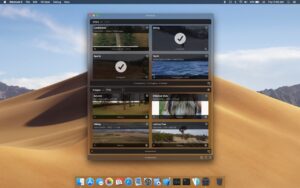
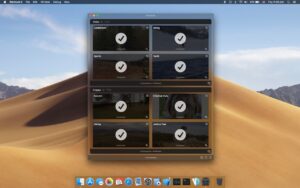




Run the downloaded image and drag the application to the Applications folder shortcut.
Once the copy is complete, you can launch the application from Launchpad.
Compatibility
macOS 10.14.6 and later
Architecture
ARM