
Permute 4.0.4 for Mac

Permute
Name:Permute 4.0.4 ARM [EDiSO].dmg.torrent (51.11MB)
Hash:890ff848e11dcebf786bc8881ca6c4458779d590
Review by:
Downloads 466
Rating
5.0 30 Click to rate
Checked
   Download Torrent Download Now

Media conversion for Apple Silicon Macs

Permute is a native macOS media converter from Charlie Monroe Software that turns video, audio, images, PDFs, and text between formats through presets and a drag-and-drop queue.

Everyday and professional workflows

Drop files into Permute, pick a preset such as MP4, HEVC, MP3, FLAC, HEIC, or ProRes, and batch-convert with hardware acceleration where supported. Version 4 rebuilt the interface around clearer queues, drop zones for automatic conversions, and per-file actions for trim, crop, metadata, and track management.

  • Video editors: split by CUE or EDL, reorder audio and subtitle tracks, or export HLS streams.
  • Podcasters and musicians: combine files, adjust speed and volume, or create iPhone ringtones.
  • Office and research: OCR images to text, export PDF pages, or run raw FFmpeg via Advanced Custom presets.

Editing without leaving the queue

Permute 4 adds waveform-based audio trim, pixel rulers for video and image crop, preset previews, and options to move originals to Trash or a custom folder after conversion. Low power mode runs jobs more quietly in the background, while smart queueing can speed up copy-only conversions that do not re-encode every track.

Permute 4.0.4 requirements and licensing

Version 4.0.4 requires macOS 26 or later on Apple Silicon Macs. Permute sells as a one-time license with a free trial; Permute 3 remains available for macOS 11–15 and Intel Macs with a stated upgrade path to version 4 when you move to macOS 26.
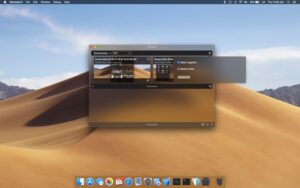

Permute 4.0.4 for Mac — Media Converter

Pros & Cons Show details

✅ PROS

  • Permute supports more than 100 formats and covers video, audio, images, PDFs, and text in one Mac app instead of several single-purpose converters.
  • Presets, drop zones, and batch queues make common conversion jobs fast while Advanced Custom presets expose FFmpeg for power users.
  • Permute 4 adds precise trim and crop tools with waveforms and pixel rulers, plus track reordering, subtitle handling, and metadata editing for richer workflows.
  • Hardware-accelerated HEVC, MP4, and ProRes encoding helps Apple Silicon Macs finish large video jobs faster than CPU-only tools.
  • One-time licensing with a free trial avoids subscription lock-in for users who convert media occasionally but need a capable tool when they do.
  • Version 4.0.4 improves OCR language control in the Text preset, which helps when source images contain text in a different language or script than your Mac system language.

❌ CONS

  • Permute 4 requires macOS 26 and Apple Silicon, so Intel Macs and older macOS releases must stay on Permute 3 until they upgrade hardware and system software.
  • Upgrading from Permute 3 to Permute 4 requires a new license, though existing customers may receive a discounted or free upgrade per vendor policy.
  • The App Store build omits some features because of Apple sandbox limits, so the direct developer version is the full-featured option.
  • Advanced presets and FFmpeg-level control add complexity compared with simpler one-format converters aimed at casual users.
  • Version 4.0.4 is a small maintenance release, so users expecting major new features in this build will find mostly OCR and CMYK fixes.
  • Large batch video conversions still demand capable storage and can take significant time even with hardware acceleration enabled.
✅ What's New in 4.0.4 Show details
  1. Text preset language preference — The Text preset now includes a language option so OCR is not limited to your Mac’s system language.
  2. Multi-language OCR — You can target text in other languages and scripts when converting images to text, which improves recognition on mixed-language sources.
  3. CMYK image conversion — Fixed an issue where converting CMYK images could fail during preset-based image jobs.
  4. Stability improvements — The vendor notes additional minor fixes and polish in version 4.0.4 beyond the documented OCR and CMYK changes.
  5. Focused maintenance release — Official release notes for 4.0.4 are brief; most major Permute 4 features arrived in the 4.0 launch and subsequent 4.0.x updates.

Older Versions

Version Publication date
Permute v4.0.4 Latest Current
Permute v4.0.3
Permute v4.0.1
Permute v3.14.4
Permute v3.14.3
Permute v3.14.2
Permute v3.14.1
Permute v3.14.0
Permute v3.13.6
Permute 3.13.5 (2859) v3.13.5.2859
Permute v3.13.5
Permute v3.13.4
Permute v3.13.3
Permute v3.13.2
Permute v3.13.1
Permute v3.13.0
Permute v3.12.6
Permute v3.12.4
Permute v3.12.3
Permute v3.12.2
Permute v3.12.1
Permute v3.12.0
Permute v3.11.19
Permute v3.11.17
Permute v3.11.16
Permute v3.11.13
Permute v3.11.12
Permute v3.11.11
Permute v3.11.10
Permute v3.11.9
Permute v3.11.8
Permute 3.11.7 (2744) v3.11.7.2744
Permute 3.11.7 (2743) v3.11.7.2743
Permute v3.11.6
Permute v3.11.5
Permute v3.11.4
Permute v3.11.3
Permute v3.11.2
Permute v3.11.1
Permute v3.10.9
Permute v3.10.8
Permute v3.10.7
Permute v3.10.4
Permute v3.10.2
Permute v3.10.1
Permute v3.10.0
Permute v3.9.15
Permute v3.9.11
Permute v3.9.10
Permute v3.9.9
Permute v3.9.8
Permute v3.9.7
Permute v3.9.6
Permute v3.9.5
Permute v3.9.2
Permute v3.9.1
Permute v3.9
Permute v3.8.9
Permute v3.8.8
Permute v3.8.7
Permute 3.8.6 (2576) v3.8.6.2576
Permute 3.8.5 (2572) v3.8.5.2572
Permute v3.8.3
Permute v3.8.2
Permute v3.8.1
Permute v3.8
Permute v3.7.7
Permute v3.7.6
Permute v3.7.5
Permute v3.7.4
Permute v3.7.3
Permute v3.7.1
Permute v3.7
Permute v3.6.9
Permute v3.6.8
Permute v3.6.7
Permute v3.6.6
Permute v3.6.5
Permute v3.6.4
Permute v3.6.3
Permute v3.6.2
Permute v3.6.1
Permute v3.6
Permute v3.5.16
Permute v3.5.15
Permute v3.5.14
Permute v3.5.13
Permute v3.5.12
Permute v3.5.11
Permute v3.5.10
Permute v3.5.9
Permute v3.5.8
Permute v3.5.7
Permute v3.5.6
Permute v3.5.5
Permute v3.5.4
Permute v3.5.3
Permute v3.5.2
Permute 3.5.1 (2287) v3.5.1.2287
Permute v3.5.1
Permute v3.5
Permute v3.4.13
Permute v3.4.12
Permute v3.4.11
Permute v3.4.10
Permute v3.4.4
Permute v3.4.1
Permute v3.4
Permute v3.2.7
Permute v3.1.5
Permute v3.1.3
Permute v2.3
Permute v2.2.8

Installation & Troubleshooting FAQ

8 questions

Common issues when installing macOS apps

Alternatives

Important

Run the downloaded image and drag the application to the Applications folder shortcut.

Once the copy is complete, you can launch the application from Launchpad.

Compatibility
macOS 10.14.6 and later

Architecture
ARM

Join the Conversation

Your email address will not be published. Required fields are marked *