Unlike Windows PCs, Mac keyboards have no dedicated Print Screen key. On Mac, you use keyboard shortcuts, the Screenshot app, or — on MacBooks with Touch Bar — a button on the control strip. Here…
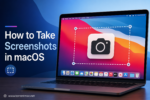

Unlike Windows PCs, Mac keyboards have no dedicated Print Screen key. On Mac, you use keyboard shortcuts, the Screenshot app, or — on MacBooks with Touch Bar — a button on the control strip. Here…
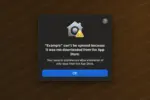
When installing apps outside the Mac App Store, macOS may block the launch and show one of the errors below. Each section explains what the message means and how to fix it. 1. App Not…
With the release of macOS 26, Apple has permanently removed Launchpad. Attempts to bring it back using older methods that worked in beta versions (for example, via Terminal commands) are now blocked by the system….
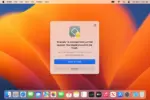
Gatekeeper is a security feature of macOS. It ensures that only trusted software runs on your Mac. If the app you are trying to launch has been modified, you will see a message that it…
Granting Terminal full disk access on macOS allows the Terminal app to read and modify files in protected system locations. This permission is often required when installing patched or modified applications and running setup scripts….

In 2015, Apple introduced a security feature in OS X El Capitan (10.11) designed to protect system files and user data from malware. It is called System Integrity Protection (SIP, also known as rootless). Why…