What Subtitle Studio does on Mac
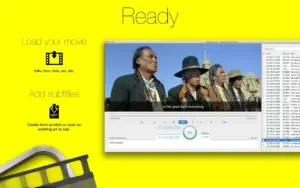
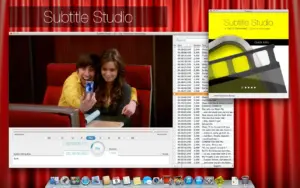
Subtitle Studio is a macOS app for finding, syncing, editing, creating, and embedding subtitles in video files, with a focus on M4V, MP4, and MOV workflows for Apple TV and iOS players.
Developed by TheKeptPromise (Vogelbusch & Co), Subtitle Studio targets viewers and editors who need subtitles that match their copy of a film. Drop a movie, search online subtitle catalogs, adjust timing with Tap2Sync or fix tools, edit text inline, and export SRT or WebVTT or embed tracks into a new optimized M4V file. The direct-download edition includes built-in web search; the Mac App Store build historically omitted external subtitle search because of store policy.
Typical Mac workflow
Import a video and subtitle file, or let the app search for a matching download, then sync the first and last lines or shift individual cues while previewing playback. Edit typos, split or merge lines, add languages, and export for Plex or Apple devices. For embedding, Subtitle Studio can bake subtitles and chapter marks into a new M4V optimized for Apple TV, iPhone, and iPad.
Version 1.5.11
Build 1.5.11 is a small maintenance release documented on MacUpdate. The only listed change is a new panel for downloading Subtitle Studio 2 and search packages, pointing existing 1.5 users toward the newer product line. The Mac App Store listing now shows Subtitle Studio 2.0 with transcription, translation, and waveform features; 1.5.11 remains the last documented 1.5.x entry on MacUpdate.
Licensing and requirements
Subtitle Studio is a paid app (about $14.99 on MacUpdate; store pricing may differ). The 1.5 line is listed for macOS 10.13 or later on third-party mirrors; Subtitle Studio 2 requires macOS 14.0 or later on the App Store. The developer reports no data collection in current store privacy labels.