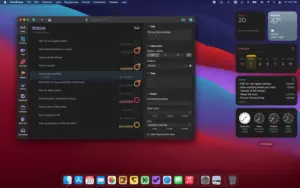
What OmniFocus Pro does on Mac
OmniFocus Pro is a professional task and project manager for macOS from The Omni Group, built around Getting Things Done workflows with projects, tags, defer dates, and custom views called perspectives.
OmniFocus targets Mac users who manage complex work across many contexts: client projects, recurring errands, and long-term goals that do not fit a simple to-do list. The Pro edition adds custom perspectives, Forecast scheduling, Focus mode to limit visible work, and Omni Automation plug-ins for scripting. One purchase or subscription syncs tasks across Mac, iPhone, iPad, Apple Watch, and Apple Vision Pro through the encrypted Omni Sync Server.
Core GTD workflow
- Capture tasks quickly into the Inbox from any device
- Organize actions into projects, single-action lists, and folders
- Tag items by context, energy, or location for flexible filtering
- Set defer, due, and completion dates with repeating rules
- Review projects on a schedule to keep the system trustworthy
Pro-only capabilities
- Custom Perspectives with rule-based filters and saved views
- Forecast view combining calendar events with dated OmniFocus items
- Focus to hide everything except selected projects or folders
- Omni Automation plug-ins, including Foundation Models on supported Apple hardware in the 4.8 line
- Advanced batch editing through the Inspector and outline tools
Typical Mac workflow
Start the day in Forecast to see due items alongside Calendar events, switch to a custom perspective for deep work on one client, and use Quick Open to jump to any project. Flag urgent items, defer low-priority tasks, and complete actions from the keyboard. On macOS Tahoe 26, OmniFocus 4.8 adds Liquid Glass styling and tighter integration with system Shortcuts and widgets.
Version 4.8.12
Build 4.8.12 is a minor bug-fix release across all platforms. On Mac it restores tag drag-and-drop reordering in the Inspector, fixes outline popover completion dates being discarded, and corrects metadata display after deleting the previously selected item. Custom perspective rule edits apply reliably on the first attempt, Forecast sort order is more stable when calendar events overlap overdue items, and cancelling a sidebar deletion no longer desynchronizes the sidebar from the outline.
Licensing and requirements
OmniFocus Pro requires macOS 14.0 or later. The Pro perpetual license costs about $149.99 as a universal purchase for Mac and iOS family devices, with all 4.x updates included; a subscription at about $99.99 per year adds OmniFocus for the Web. Standard edition lacks several Pro views and automation features. Same-version updates such as 4.8.12 are free for existing OmniFocus 4 license holders.