

OmniFocus Pro v4.8.10 for Mac
OmniFocus Pro is a powerful task manager for macOS built around the Getting Things Done (GTD) method. It helps professionals capture tasks quickly, organize projects clearly, and execute work with less mental overhead.
Version 4.8.10 continues OmniFocus Pro’s core strength: turning large, complex workloads into actionable next steps with precise filtering and review workflows.
Why OmniFocus Pro is a top productivity tool
GTD-focused structure: organize work by projects, tags, due dates, and contexts so priorities stay clear.
Forecast and planning: view upcoming tasks and calendar commitments in one place to plan realistic workdays.
Custom perspectives (Pro): build focused views for specific workflows, teams, or areas of responsibility.
Review mode: systematically review projects to keep plans current and prevent hidden task backlog.
Automation support: advanced users can integrate scripts and shortcuts for repeatable task workflows.
Version details
- App: OmniFocus Pro
- Version: 4.8.10
- Platform: macOS
- Category: Productivity / Task Management
For exact release changes and system requirements, check the official Omni Group release notes and App Store listing.
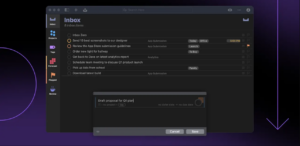





Mount the image and launch Open Gatekeeper Friendly.
Press Enter to bypass Gatekeeper in the Terminal window.
Drag the application to the Applications folder.
The application is ready to use.
no its not…still won’t open
sudo codesign –force –deep –sign – /Applications/OmniFocus.app
thank you!!!
This didn’t work for me