

Mp3tag v1.12.2 for Mac
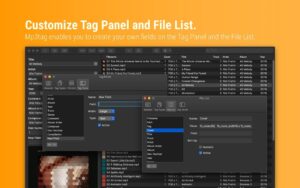
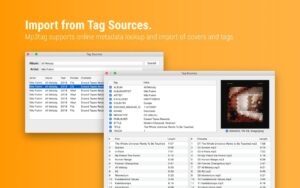
Mp3tag by Florian Heidenreich is a universal audio tag editor for Mac: edit metadata in bulk, fetch tags and cover art from online databases, rename files from tags, and export playlists and reports.
Version 1.12.2 (May 14, 2026) is a maintenance release that fixes MP4 integer metadata handling.
What’s new in v1.12.2
- Fixed: large integer metadata values were incorrectly truncated to the preferred storage width when writing MP4 atoms such as
ITUNESCATALOGID
What Mp3tag does
Batch tagging: ID3v1/v2, iTunes MP4, Vorbis, APE, WMA, and more across MP3, FLAC, AAC, OGG, Opus, DSF, and other formats.
Library tools: Discogs, MusicBrainz, and freedb lookups; embedded cover art; rename files from tags; character replacement and actions; HTML/RTF/CSV export.
Recent highlights (1.12.x): full paths for export/playlist filenames (1.12.1); Manage Covers, Quick Look, macOS 26 Tahoe / Liquid Glass support (1.12.0).
Requirements
- Version: 1.12.2
- Platform: macOS (native Mac build at mp3tag.app )
Official: mp3tag.app · changelog



Run the downloaded image and drag the app to the Applications folder shortcut.
Once the copy is complete, you can launch the app through Launchpad.
Architecture
ARM, x86 (64-bit)