

Cotypist
A system-wide writing assistant for Apple Silicon Macs that predicts your next words inside Mail, Slack, browsers, and most other text fields—without opening a chatbot or sending keystrokes to the cloud.
Typical Mac workflow
Install the notarized DMG from the developer site, grant Accessibility permission, and let the local model download once. Then type as usual in any supported app; gray inline suggestions appear ahead of your cursor. Press Tab to accept the next word or the whole phrase, or keep typing to ignore or steer the prediction. Cotypist aims to finish sentences you would have written yourself rather than replace your voice with generic AI prose, which suits email, support replies, documentation, and chat more than one-shot content generation.
On-device AI stack
According to the developer, inference runs through llama.cpp with Gemma 4 by default, plus additional Gemma and Qwen 3 models on higher tiers—all on your Mac with no API calls and offline support. Active use typically consumes about 1–2.5 GB of RAM; the site recommends an M1 Pro or newer with 16 GB for smooth completions. macOS 14 or later is required, and Intel Macs are not supported.
Personalization and tiers
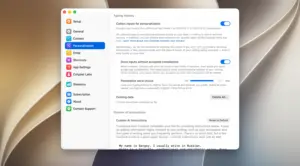
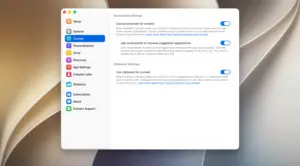
Optional personalization records typing you approve (or all monitored input if enabled) in an encrypted local database to nudge vocabulary toward your names and phrasing. Custom AI instructions and per-app overrides on Pro refine tone for Mail versus Slack. The free tier includes 100 Tab-accepted words per day; Plus ($8/month or $72/year per press materials) adds unlimited completions on one Mac, full autocorrect, and configurable completion length; Pro ($12/month or $108/year) covers three Macs, larger models, clipboard context, and Cotypist Labs experiments such as mid-line completion. Every install starts with a 30-day Pro trial and no credit card.
Version 2026.2
Build 2026.2 appears in third-party download catalogs as the current 2026.x release after 2026.1.1, but Accelerated Thought does not publish a dedicated changelog page or App Store listing for this version. Treat 2026.2 as an incremental update within the 2026 calendar-version line unless the in-app auto-updater lists specific fixes on your Mac. Core behavior—local inline autocomplete, typo hints, emoji shortcuts, and cross-app compatibility documented on cotypist.app—remains the product baseline.





Run the downloaded image and drag the app to the Applications folder shortcut.
Once the copy is complete, you can launch the app from Launchpad.
Compatibility
macOS 14 and later
Architecture
ARM