

Shadowrocket is a rule-based proxy utility for macOS (and other Apple platforms) that captures HTTP, HTTPS, and TCP traffic from applications and routes it according to domain, IP, GeoIP, and custom rules—you supply your own proxy servers and configuration files.
How it works on Mac
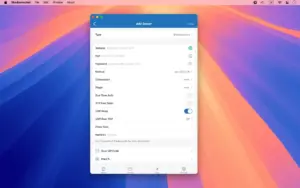
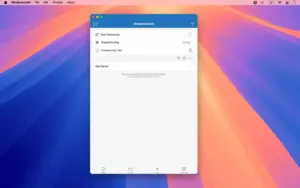
After purchase on the Mac App Store, you import server profiles (URL, QR code, or iCloud Drive) and define routing: proxy, direct, or reject per domain suffix, keyword, CIDR range, or GeoIP lookup. Shadowrocket can log requests, block ads by domain, rewrite URLs, map DNS locally, and decrypt HTTPS for inspection when you install its certificate. It supports modern proxy stacks (Shadowsocks, VMess, VLESS, Trojan, Hysteria, SSH tunnels, and plugin transports) plus encrypted DNS (DoH, DoT, DoQ). A Control Center widget and on-device traffic stats help toggle and monitor the tunnel during daily Mac use.
What it is not
Shadowrocket ships no servers or subscriptions—the developer states users must provide their own proxy resources. It is a client tool, not a turnkey VPN service. macOS 10.15 or later is required. Legality and acceptable use depend on your network policies and jurisdiction; configure only servers you are authorized to use.
Version 2.2.85
Released 22 May 2026 per the official Shadowrocket News channel, build 2.2.85 adds Mieru protocol support with reliable UDP transport, refines ECH mode detection, simplifies Control Center widget status logic, and fixes tunnel dequeue collisions plus WebSocket Early Data path parsing truncation. It follows the 2.2.84 ECH work and precedes 2.2.86–2.2.87 protocol updates now on the App Store.




Run the downloaded image and drag the application to the Applications folder shortcut.
Once the copy is complete, you can launch the application from Launchpad.
Compatibility
macOS 10.15 and later
Architecture
ARM, x86 (64-bit)