

What Cotypist does on Mac
Cotypist is an on-device writing assistant for Apple silicon Macs that predicts your next words inline in Mail, Slack, browsers, notes apps, and most other text fields, without opening a separate chatbot window.
Developed by Daniel Gräfe at Accelerated Thought GmbH in Munich, Cotypist is not a traditional text expander with snippet abbreviations. It uses a local language model through llama.cpp (Gemma 4 by default) to suggest continuations as you type. Press Tab to accept the next word or a longer phrase; keep typing if you want to ignore a suggestion and the prediction usually adapts within a letter or two.
Core behavior
- Inline suggestions appear in the app you already use, with no per-app plugins beyond Accessibility permission
- Word-by-word acceptance keeps you in control instead of pasting full AI paragraphs
- Inline typo corrections and colon-triggered emoji suggestions reduce separate correction steps
- Vocabulary and phrasing learned in one app carry over to others, stored encrypted on your Mac
- All inference runs locally; the vendor states that typed text does not leave the device
Where it helps most
Users report the largest gains in email replies, Slack messages, support tickets, marketing drafts, documentation, and AI prompt boxes in ChatGPT or coding agents. The tool targets thoughtful prose rather than ultra-short chat bursts, though many people use it in both contexts.
Typical Mac workflow
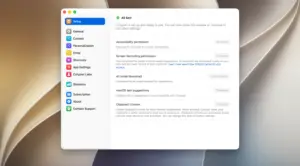
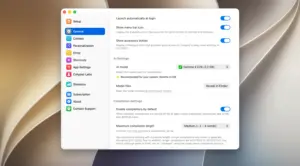
Install the notarized DMG, grant Accessibility access, and open any supported app. Start a sentence normally; when gray inline text appears, Tab accepts one word at a time until the suggestion matches your intent. Heavy writers subscribe to Plus or Pro after the 30-day trial for unlimited completions, larger models, and per-app custom instructions.
Version 2026.1.1
Build 2026.1.1 appears in third-party download catalogs around June 2026 as the current release line, but Cotypist does not publish a dedicated changelog page for this version on its website. Treat 2026.1.1 as a maintenance or incremental update within the 2026.1 series unless the in-app updater lists specific fixes on your Mac.
Requirements and licensing
Cotypist requires Apple silicon and macOS 14 or later; Intel Macs are not supported. The vendor recommends M1 Pro or M2 with 16 GB RAM for smooth completions; active use consumes about 1 to 2.5 GB of memory. Pricing tiers include a free plan with roughly 100 completed words per day, Plus at about $8 per month, and Pro at about $12 per month, with a 30-day Pro trial and no credit card required at install.
Compatibility limits
- Works in most Mac apps via the Accessibility API; Google Docs and some browsers need extra setup steps
- Does not work in BBEdit, Sublime Text, OneNote, or Anki, or inside remote desktop sessions
- VS Code and Cursor support sidebar AI chats but not the main code editor, where Copilot-style tools fit better
- Tab shortcut may conflict with Grammarly or Karabiner-Elements unless you remap keys





Run the downloaded image and drag the app to the Applications folder shortcut.
Once the copy is complete, you can launch the app from Launchpad.
Compatibility
macOS 14 and later
Architecture
ARM