
CleanMyMac 5.5.6 for Mac

CleanMyMac
Name: CleanMyMac 5.5.6 [atb].dmg.torrent (157.43MB)
Version: 5.5.6
Operating System: macOS
Program license: Free
Developer: MacPaw
Interface language: English
Review by:
Downloads 371
Rating
4.8 13 Click to rate
Checked
   Download Torrent Download Now

CleanMyMac

A Mac maintenance suite from MacPaw that scans for junk files, security threats, and performance bottlenecks, then offers one-click cleanup and ongoing monitoring instead of manual Library folder hunting.

How it fits daily Mac use

CleanMyMac groups recurring tasks into modules: Smart Care-style scans for caches, logs, broken downloads, and mail attachments; Protection for malware and privacy cleanup; Performance tools for login items and background load; and Applications for complete uninstalls and updates. Space Lens visualizes storage as nested bubbles so you can spot large folders quickly. Duplicate and similar-photo finders target file clutter that accumulates over years of use.

Version 5.x expanded beyond local disk cleanup. Cloud Cleanup connects iCloud Drive, Google Drive, Dropbox, and OneDrive so you can review large or redundant cloud files without switching apps. My Activity (5.4) tracks cleanup progress and protection insights; My Tools (5.5) lets you pin favorite modules for faster access between cleanup, protection, and maintenance workflows.

Security, requirements, and licensing

Malware scans use MacPaw’s Moonlock engine to look for adware, keyloggers, and similar threats, alongside browser-data cleanup. Smart Insights (5.2.6) can explain system files with Apple Intelligence where supported. The app requires macOS 11.0 or later, a 1200×800 display, and about 320 MB of disk space; it is Apple-notarized and runs on Apple Silicon and Intel Macs.

Licensing is subscription-based (Basic or Plus tiers, monthly or yearly) or a one-time purchase option via the Mac App Store, with a 7-day trial. Free manual cleaning alternatives exist, but CleanMyMac targets users who want guided scans, cloud integration, and malware checks in one branded workflow.

Version 5.5.6

Build 5.5.6 (July 10, 2026) is a stability patch in the 5.5 line. MacPaw and the App Store list it as fixing minor issues and known crashes rather than adding new modules—typical for 5.5.1–5.5.4 maintenance releases after the My Tools feature drop in 5.5.0.
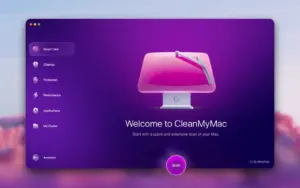

CleanMyMac 5.5.6 for Mac — System Cleaner

Pros & Cons Show details

✅ PROS

  • Smart Care and modular scans cover caches, logs, large files, and mail attachments in one guided flow instead of hunting ~/Library paths by hand.
  • Moonlock-powered malware and privacy cleanup adds a security layer beyond basic disk janitor utilities on Mac.
  • Cloud Cleanup for iCloud, Google Drive, Dropbox, and OneDrive helps reclaim space in synced storage without opening each provider’s web UI.
  • My Tools (5.5) pins frequently used modules so repeat maintenance takes fewer clicks for daily Mac care routines.
  • Apple-notarized build with long macOS version support (11+) suits both older Intel Macs and current Apple Silicon machines.

❌ CONS

  • Subscription or relatively high one-time App Store pricing may feel expensive if you only need occasional cache deletion.
  • Version 5.5.6 is a crash-and-stability patch with no new features, so users on 5.5.5 gain little beyond reliability fixes.
  • Aggressive one-click cleanup can remove files some power users prefer to keep unless you review scan results carefully before confirming.
  • Cloud and Smart Insights features depend on connecting accounts or Apple Intelligence availability, which not every Mac or user wants to enable.
  • MacPaw’s whats-new page had not yet listed 5.5.6 details at publication time beyond the generic stability note mirrored on the App Store.
✅ What's New in 5.5.6 Show details
  1. [Stability fixes] — Addresses a number of minor issues and known crashes to keep CleanMyMac running reliably on macOS.
  2. [Maintenance release] — 5.5.6 (July 10, 2026) follows 5.5.1–5.5.4 patch cadence with no new modules listed for this build.
  3. [My Tools hub] — Pin favorite cleanup, protection, and maintenance tools for quick access (introduced in 5.5.0, still core in this line).
  4. [My Activity dashboard] — Track local and cloud cleanup progress plus protection insights (5.4.0 capability in the current product).
  5. [Cloud Cleanup] — Manage iCloud, Google Drive, Dropbox, and OneDrive clutter from CleanMyMac (5.3+ documented feature).
  6. [Smart Insights] — Apple Intelligence explanations for system files where supported (5.2.6 capability, not new in 5.5.6).

Older Versions

Version Publication date
CleanMyMac v5.5.6 Latest Current
CleanMyMac v5.5.0
CleanMyMac v5.4.0
CleanMyMac v5.3.1
CleanMyMac v5.3.0
CleanMyMac v5.2.10
CleanMyMac v5.2.9
CleanMyMac v5.2.8
CleanMyMac v5.2.7
CleanMyMac v5.2.6
CleanMyMac v5.2.5
CleanMyMac v5.2.5
CleanMyMac v5.2.4
CleanMyMac v5.2.3
CleanMyMac v5.1.0
CleanMyMac v5.0.7
CleanMyMac v5.0.4
CleanMyMac v4.14.3

Installation & Troubleshooting FAQ

8 questions

Common issues when installing macOS apps

Alternatives

Important

Before installing/updating, uninstall the old version of CleanMyMac, for example, using App Cleaner & Uninstaller.

Run the downloaded image and drag the app to the Applications folder shortcut.

After copying is complete, you can launch the app from Launchpad.

Join the Conversation

Your email address will not be published. Required fields are marked *