

Typeface 4.3.1 for Mac
Typeface is a native macOS font manager for designers and typographers—browse, organize, activate, and preview fonts with a clean interface focused on your library.
Version 4.3.1 improves auto activation for design apps, refines language filters, and fixes printing and Pairing Studio issues.
What Typeface does
Browse & preview
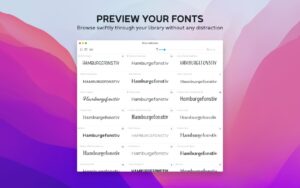
- Live previews with custom text, size, colors, body text layouts, and night theme
- Variable fonts with live tweaks and CSS export
- OpenType features, outlines, metrics, color fonts, and character comparison
- Export characters as vector; drag glyphs into design apps
Organize & activate
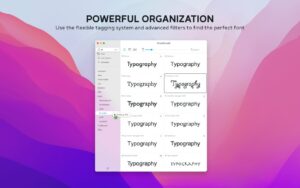
- Flexible tagging, collections, synced folders, and duplicate cleanup
- Persistent or temporary activation in-place—no file duplication
- Auto activation and Font Switch for Adobe, Affinity, Sketch, QuarkXPress, and more
- Google Fonts catalog sync; List view for technical metadata (Pro)
Pairing Studio
- Mix and match fonts in text layouts for hierarchy and combinations
- Print layouts, export to PDF, and iterate with duplicate studios
What’s new in v4.3.1
- NEW: Auto activation for QuarkXPress
- Auto activation for Illustrator v30.3+; per-app settings on the activation page
- Dark, clear, and tinted app icon variants on macOS Tahoe
- More accurate Font Switch detection through overlay apps (HazeOver, Monocle, etc.)
- Cleaner language filters and font info language lists
- Fixes: crash when printing fonts without characters; print menu in overview; Pairing Studio context menu
Requirements & licensing
System
- Version: 4.3.1
- macOS: 12 Monterey or later
- Architecture: Native Apple Silicon support; Intel Mac compatible
License
- One-time purchase with optional Pro extension
- Also on the Mac App Store and Setapp
Official: Typeface · Changelog





Is it by mistake listed under Adobe apps ?
Yes, thanks for saying that.
Run the downloaded image and drag the application to the Applications folder shortcut.
After copying is complete, you can launch the application from Launchpad.