

Proxyman v6.10.0 for Mac
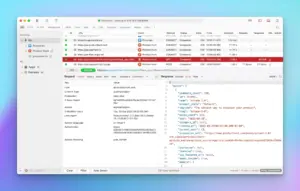
Proxyman is a native macOS HTTP/HTTPS debugging proxy for inspecting, filtering, and modifying API traffic—from Mac apps, simulators, and mobile devices—with tools developers often compare to Charles, but with a modern Apple-first UI.
Version 6.10.0 (May 6, 2026) improves scripting with npm, performance on large captures, TLS hostname handling, and several UI fixes.
What’s new in v6.10.0
Features:
- Scripting + npm: use
require(...)and install third-party libraries vianpm installin scripting workflows - proxyman-cli: install and manage custom client & server certificates from the CLI
- TLS SNI parsing: derive hostname from TLS handshake instead of relying on IP when possible
- Large sessions: big response bodies spill to disk automatically for lower memory use and smoother scrolling
Improvements: more reliable iOS HTTPS capture on ambiguous CONNECT hosts; clearer status badges in Light Mode; remembered flow-table columns; custom columns from request/response headers; copy full raw messages from the Raw tab; monospaced font setting available in the free tier.
Bug fixes: advanced filter edge cases; columns disappearing after relaunch.
Core capabilities (Proxyman line)
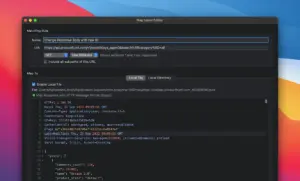
Capture & decrypt HTTPS with guided certificate setup; breakpoints, Map Local/Remote, scripting, GraphQL rules, WebSocket/gRPC tooling, and MCP integration for AI-assisted debugging (from recent 6.7–6.8 releases).
Mobile & backend: debug iOS/Android devices and simulators; automatic terminal setup for Node, Python, Ruby, Go, and more.
Requires: macOS 13+ (Apple Silicon & Intel); optimized for recent macOS including Tahoe-era UI.
Official links
- Download: proxyman.com/download
- Changelog: proxyman.com/changelog
- Release 6.10.0: GitHub — 6.10.0





Run the downloaded image and drag the app to the Applications folder shortcut.
Once the copy is complete, you can launch the app through Launchpad.
Architecture
ARM, x86 (64-bit)