
Screegle – Clean Screen Sharing 2.2.12 for Mac

Screegle - Clean Screen Sharing
Name:Screegle 2.2.12.dmg.torrent (8.21MB)
Review by:
Downloads 339
Rating
4.8 12 Click to rate
Checked
   Download Torrent Download Now

Screegle 2.2.12 for Mac

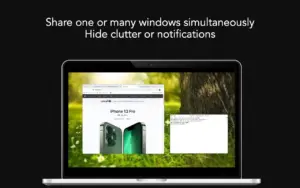
Screegle is a macOS utility from AppBlit LLC that lets you share or record only the windows you choose, composited on a clean background instead of your full desktop with icons, folders, and notifications visible.

What Screegle does

During live calls or recorded tutorials, Screegle builds a presentation-ready view of selected app windows. Press ⌘F1 while hovering over a window to add or remove it from the share set, then pick the Screegle Camera or share the Screegle Share window in Zoom, Google Meet, Teams, Slack, or similar apps.

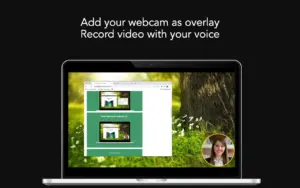
Beyond live sharing, Screegle supports HD recording, screenshots, webcam or avatar overlays (including connected iPhone/iPad cameras), live and editable closed captions, document quick-show, cursor highlight and click animation, window cropping, custom wallpaper, and Smart Scaling to fit content into a 1080p layout. Double ⌘F1 can make a window appear fullscreen inside Screegle.

Who it is for

It suits remote workers, educators, support staff, and creators who want professional-looking screen shares without exposing personal desktop clutter or accidental notifications during calls.

Version 2.2.12

Version 2.2.12 (build 47, listed on the Mac App Store with an April 10 release date) introduces a freemium model: the app is free with an optional upgrade to Screegle PRO (in-app purchase, about $7.99 on the US store). The free tier includes a non-editable “Screegle for macOS” text overlay. This release also fixes issues with Show Screegle Share and Show Preview commands.

Privacy and requirements

According to AppBlit, Screegle does not collect user data; recordings are saved locally on your Mac, and speech recognition runs on-device. The app requires macOS 12.3 or later, runs on Intel and Apple Silicon Macs, and is distributed through the Mac App Store.
Pros & Cons Show details

✅ PROS

  • Shares only selected windows, reducing risk of exposing private files, tabs, or desktop clutter in meetings.
  • Works with common conferencing apps via Screegle Camera or Screegle Share without replacing your meeting stack.
  • Recording features (captions, cursor emphasis, cropping, HD output) suit async tutorials and internal demos.
  • On-device speech recognition and local video storage align with privacy-conscious workflows.
  • Free tier lets users try core sharing before paying for PRO to remove the overlay.

❌ CONS

  • Free version adds a visible “Screegle for macOS” watermark overlay that cannot be edited.
  • PRO features require an in-app purchase; there is no separate direct-license channel outside the App Store.
  • macOS 12.3 minimum excludes users on older systems.
  • Window-selection workflow (⌘F1) takes a short learning period for first-time users.
  • Changelog for 2.2.12 is brief; most capabilities are product-level rather than new in this build.
✅ What's New in 2.2.12 Show details
  1. [Freemium model] — Screegle is now free with an optional upgrade path to Screegle PRO.
  2. [Free-tier overlay] — The free version displays a non-editable “Screegle for macOS” text overlay on shared output.
  3. [Show Screegle Share fix] — Fixed an issue affecting the Show Screegle Share command or menu action.
  4. [Show Preview fix] — Fixed an issue affecting the Show Preview command or menu action.
  5. [Release metadata] — Version 2.2.12 (build 47) is listed on the Mac App Store with an April 10 release date.

Older Versions

Installation & Troubleshooting FAQ

8 questions

Common issues when installing macOS apps

Alternatives

1 Comment

  1. Run the downloaded image and drag the app to the Applications folder shortcut.

    Once the copy is complete, you can launch the app through Launchpad.

    Official updates may cause activation loss!

Join the Conversation

Your email address will not be published. Required fields are marked *