iNet Network Scanner
A native Mac toolbox for seeing which devices share your local network, what Bonjour services they advertise, and waking or shutting down machines without opening a rack of terminal commands.
BananaGlue’s iNet (Germany, since about 2010) targets both home users who wonder who is on the Wi‑Fi and admins who need a quick LAN snapshot. Run a scan and you get IP and MAC addresses for hosts on the chosen interface or custom IP range. You can rename devices, assign icons from built-in sets or your own files, and keep history of previously seen hosts so a returning phone or printer is easier to recognize. From a result row you can open common protocols such as SSH, VNC, or HTTP when those services are available. Export to CSV or PDF helps document a small office subnet after a change.
Modules beyond the basic scan
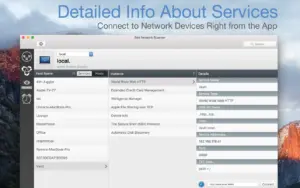
Bonjour Monitor lists mDNS services as they appear, with per-device and per-domain detail—useful when AirPlay, printers, or home-automation gear clutter the network. Wake on LAN can wake Macs and PCs on the LAN or, when configured, over the internet; for Macs it can also sleep, shut down, or restart, with SSH-oriented commands and a favorites list for machines you touch often. Airport Monitor shows live status, traffic graphs, WLAN quality, and per-device signal for Apple AirPort base stations, with an important limit: the newest 802.11ac AirPort models are not supported because Apple removed SNMP access. Built-in help and a glossary ship in English and German; the App Store listing localizes the UI into more than twenty languages.
Licensing is a one-time $24.99 Mac App Store purchase with Family Sharing for up to six people and no subscription. The developer states that iNet collects no user data and does not phone home; the privacy label confirms data is not collected. Requirements are macOS 12.4 or later. The install is large for a scanner (about 264 MB on the store), reflecting bundled databases and resources. An iPhone/iPad edition exists separately; the Mac app is a full native build, not a Catalyst wrapper in the store description.
Version 4.0.2
Version 4.0.2 focuses on platform readiness and identification accuracy. It adds MAC address detection support aimed at macOS 27 “Golden Gate” (spelled “Golde Gate” in the store note), introduces a chooser so iNet can stay in dark or light appearance independent of system appearance, and refreshes vendor databases by roughly three hundred entries plus about ten service definitions. If you already use the 4.0 redesign for daily scans, 4.0.2 is worth installing for better device naming icons and appearance control before testing on newer macOS betas.