Homerow
A macOS keyboard-navigation utility that overlays letter hints on buttons, links, and other UI targets so you can activate them without reaching for the mouse—especially useful in native apps and many web/Electron surfaces.
How you use it on Mac
You trigger Homerow with a hotkey, scan the labeled targets on the frontmost window (or screen), type the hint keys, and Homerow performs the click or related action. That workflow suits Vimium-style habits outside the browser: dialogs, toolbars, preference panes, and dense UIs where tabbing is slow. The product also covers scrolling and other keyboard-driven tasks described by the developer as navigating and performing actions across macOS. Compatibility is strongest with native Mac apps; support for non-native and Chromium-based apps has been an ongoing focus, including faster navigation-tree loading and fewer false Accessibility disablements.
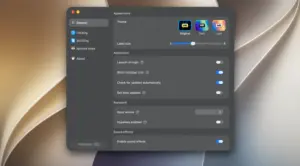
Version 1.5 added Mission Control keyboard navigation so you can hit window thumbnails and related controls with the same hint model. Later 1.5.x builds polish Mission Control icon rendering, alternative keyboard layouts with overlays, sound feedback for clicks/warnings, custom shortcut recording (including hyperkey), and ignored-app handling. Accessibility permission is required for Homerow to see and activate UI elements; without it, the core feature cannot work.
Licensing, requirements, and 1.5.3
Licensing is a one-time purchase (commonly about $49.99 on the site, with a student discount) for use on your personal Macs, with future updates included. A free trial reminds you periodically (about every 50 activations). The marketing site lists macOS 13 or later. Version 1.5.3 fixes Accessibility issues with Chrome and other Chromium browsers that could auto-disable Homerow, adds a Mission Control auto-activate toggle in clicking settings, adds a purchase link in license settings, improves alternative keyboard layout support, and fixes Mission Control app icons on window thumbnails. It fits keyboard-centric Mac users; it will not replace mouse precision for drawing or fine pixel work, and some apps may still need to be ignored when overlays conflict.