Default Folder X
A long-running macOS utility from St. Clair Software that attaches a toolbar and menu-bar tools to the system Open and Save sheets so you can jump to favorite folders, recent paths, and file actions without digging through column views in every app.
Typical Mac workflow
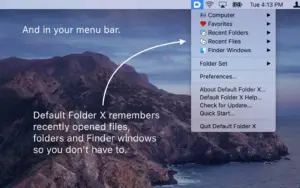
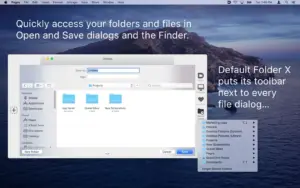
When Photoshop, Word, or any Cocoa-native app opens a file picker, Default Folder X adds controls along the right edge: click a favorite or recent folder, preview the selection, rename or duplicate files in place, and rebound to the last file you used in that app. A menu-bar icon mirrors the same shortcuts when no dialog is open. Command+Shift+Space opens Quick Search to type a few letters and jump to a recent document or folder. Per-app default folders remember where each program should start saving, which cuts repetitive navigation for designers, developers, and office users who hit Save dozens of times a day.
Finder-click and third-party file managers
Finder-click lets you click a Finder, ForkLift, Path Finder, or Bloom window while an Open or Save sheet is active and instantly mirror that window’s location in the dialog. Version 6.2.8 restores Finder-click with Path Finder 26 after CocoaTech API changes broke the integration, and adds pane-aware clicks in Bloom when Bloom’s “Enable Precise Location Detection” setting is on—so the target folder matches the pane you click, not merely the focused pane.
Dialog fixes macOS does not ship
Beyond navigation, Default Folder X patches longstanding sheet quirks: rebounding to the last selected file, restoring path menus, and correcting column-view scrolling. Release 6.2.8 specifically works around a macOS Tahoe bug that leaves column view scrolled to the far left in Open and Save dialogs, forcing manual horizontal scrolling on every open. The update also fixes Save-sheet folders that required double double-clicks, OneDrive for Business paths missing from recent items, and several crash paths in large hierarchical menus.
Licensing and version 6.2.8
A single-user license is $39.95 with a 30-day trial; version 6.x updates are free for existing v6 owners. The app runs on macOS 10.13 through 26.5 on Intel and Apple Silicon and is also available on Setapp. In 6.2.8, playable audio and video previews in Open dialogs are off by default because AVPlayer crashes frequently on macOS 26.4 Tahoe and later—you can re-enable them via Option-click Settings if you accept that risk.