
DaVinci Resolve Studio 21 — v21.0 Beta 3 for Mac
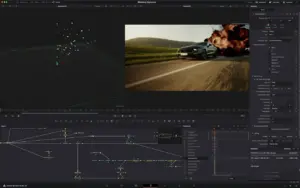
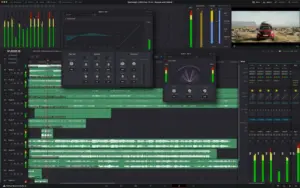
DaVinci Resolve Studio is Blackmagic Design’s all-in-one post suite—Cut, Edit, Fusion, Color, Fairlight, Media, Deliver, and in v21 a dedicated Photo page for still-image finishing.
Beta 3 (21.0b3) is the third public preview: refinements across Photo, MultiMaster, VR delivery, scripting, and camera capture, plus broad stability fixes. Back up projects before upgrading—projects opened in 21.0b3 may not reopen in Resolve 20.3.2.
What Resolve 21 adds
Photo page
- Import, organize, and grade stills with node-based Color page tools
- Hollywood-grade primaries, curves, qualifiers, power windows, and panel control
- IntelliSearch content search; built-in Resolve FX and Fusion FX for photos
Edit, color & audio
- Improved keyframing; MultiMaster trim passes and layer-list node graphs
- Fairlight folders for simpler track management
- AI tools including CineFocus, facial refinement, slate reading, and de-aging
Fusion & delivery
- 70+ new Krokodove motion graphics; expanded immersive and VR workflows
- Blackmagic Cloud collaboration support
What’s new in Beta 3
Capture & media
- NEW: Live capture and control from Sony α7 V cameras (Studio)
- Panasonic Lumix RW2 RAW decode support
- Photo page capture controls, album options, and improved Lightroom catalog orientation
Color & collaboration
- Better MultiMaster collaboration; per-timeline and per-collaborator trim management
- HDR controls restricted to MultiMaster hero trim
- Improved still color management; group-version keyboard shortcuts
VR, Fusion & scripting
- Improved YouTube VR metadata for side-by-side and top-bottom stereoscopic renders
- Lottie loop/extension support; OGraf timeline shortcuts; Fusion macro editor multi-select
- New scripting APIs: IntelliSearch, Slate analysis, Speech Generator, motion-blur removal
Stability
- Fixes across Photo inspector, magic mask, Fairlight ducking, Cryptomatte, OGraf caching, and more
- General performance and stability improvements
Requirements & licensing
System (Mac)
- Version: 21.0 Beta 3 (21.0b3)
- macOS: 15 Sequoia or later
- Hardware: Apple Silicon recommended
- RAM: 8 GB minimum; 16 GB with Fusion; 32 GB for advanced AI and background tasks
License
- Studio requires dongle, Blackmagic Cloud license, or activation code
- Public beta available from Blackmagic Support; free Resolve edition also offered separately
- Also on Mac, Windows, and Linux
Official: DaVinci Resolve · What’s New · Support / Downloads





can anyone show me the installation process?
looking for v21 stable!! thank u anyways for this beta 3, working fine till now
Asking for license key
A great thing for beta 3 is that it has automatic subtitles for every language, it is in beta still, but in my case it works great 🙂 no need for Capcut anymore 🙂
I am seeing this error when running the patch, anyone seeing this as well?
Resolve version / Версия Resolve: 21.0.0
Please enter current user’s password to give us write permissions for /Applications/DaVinci Resolve/DaVinci Resolve.app/Contents / Введите пароль пользователя для получения прав записи в /Applications/DaVinci Resolve/DaVinci Resolve.app/Contents
Password:
chmod: Failed to set ACL on file ‘/Applications/DaVinci Resolve/DaVinci Resolve.app/Contents’: Operation not permitted
chmod: Failed to set ACL on file ‘_CodeSignature’: Operation not permitted
chmod: Failed to set ACL on file ‘CodeResources’: Operation not permitted
chmod: Failed to set ACL on file ‘MacOS’: Operation not permitted
Just Installed, Works Perfectly Fine. No Errors. Thankyou so much
I feel like the keyframe feature isn’t working.
It’s working great, thank you uploader 🙏
I had to try two times to install patch from privacy/install anyway, in order to properly install, but it’s fine here
M1 pro
what is the size of the xcode ?
i have an m1 pro too but i dont feel like installing xcode its its too big – i might just have to wait for the public release
I don’t understand your question 🙂 I just follow instruction, install app, then patch and that’s it.
Working perfectly fine on M4 Max not like B2