
DaVinci Resolve Studio 21 — v21.0 Beta 2 for Mac
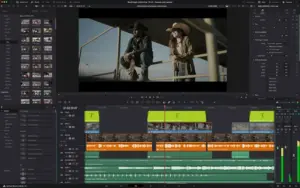
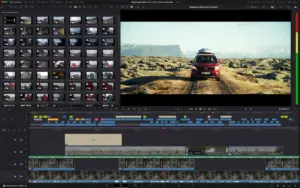
DaVinci Resolve Studio is Blackmagic Design’s all-in-one post suite: Cut and Edit timelines, Fusion VFX, Color, Fairlight audio, Media and Deliver—and in Resolve 21, a dedicated Photo page for still-image finishing with the same high-end grading toolset.
Beta 2 is a public preview build: expect rapid changes, possible project compatibility differences vs stable releases, and a higher need for backups before opening important work.
What Resolve 21 adds (product line)
Blackmagic markets Resolve 21 as a major jump that includes the Photo page, a large batch of new motion graphics/effects, expanded AI-assisted tools (including search-oriented features like IntelliSearch), improved cut/edit workflows, Fusion additions (including expanded toolsets referenced on the official “what’s new” materials), and Fairlight workflow refinements—plus ongoing collaboration features around shared workflows and cloud-oriented project access where configured.
Studio unlocks the paid feature set (advanced noise reduction, stereoscopic/immersive tooling where applicable, collaboration options, and additional Studio-only capabilities—exact list depends on platform and final release notes).
Beta 2 focus (reported)
Industry coverage of the public beta describes Beta 2 as tightening the new Photo workflows (crop/rotate behavior, metadata/crop handling, export naming), expanding still-camera RAW coverage in reporting, and improving AI search/analysis reliability—alongside assorted stability fixes across pages.
Always treat third-party summaries as secondary; the authoritative list ships with Blackmagic’s own ReadMe for the build you install.
Before you install a beta
- Clone/backup projects before upgrading test machines.
- Avoid beta on deadline-critical delivery unless your pipeline explicitly allows it.
- Match GPU driver / macOS requirements to Blackmagic’s compatibility guidance for your hardware.
Official links
- Product hub: DaVinci Resolve — Blackmagic Design
- What’s new: Resolve 21 highlights





can we have the beta 3 ?
Sure — I’ll do my best to get beta 3 up soon. 😊
beta 3 when
There is an error in the installation or patch file. The rendered files are displaying color drops in the output.
Yup same here. I get occasional horizontal / colored stripes. I think Beta 3 is out. So not sure if this or if B3 fixed that.
I’ve fixed it rendering it in H.265, was the only way I tried that it was good.
how to solve its a problem
So far, everything works incredible.
The only issue I have is that I can’t see the node I’m working on, but I can keep going by intuition hahah.
Thank you so much!
Try going to list mode for the nodes…refresh UI…quit / restart. Things like that and it resolved my end. I just have some colored horizontal stripes tho.
Works, only issue I can see the the FX settings on the colour grading page don’t work, eg apply an effect but can’t access the settings button?
Thank God and thank you admin 🙂 🙏
Finally!
The software is working great, BUT the patch must be opened from Settings/Privacy&Security/Open anyway (bottom of the page usually).
After install the patch, everything seems to work. Of course, is too soon for a complete feedback, it takes a few weeks too see if it’s all good.
M1Pro, OS 24.4.1
Thank you again for the effort!
Installation and setup instructions included (inside).
Architecture
ARM, x86 (64-bit)