

CrossOver 26.1.0 for Mac
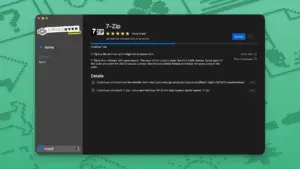
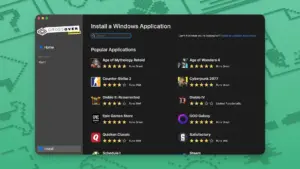
CrossOver is a Mac app from CodeWeavers that runs Windows programs without installing Windows — useful when you need a PC-only game, launcher, or office tool on a Mac.
How it works in practice
CrossOver is built on Wine: it translates Windows API calls so .exe installers and apps can run inside isolated “bottles” on macOS. You are not booting a virtual machine and you do not need a Windows license. Install CrossOver, create a bottle (often Windows 10 or 11 profile), run an installer or add Steam/Epic/GOG, then launch the app from CrossOver or like any Mac program.
That matters for Mac users who want one Windows-only title or a small set of tools without Parallels, VMware, or dual-boot. CrossOver fits games without native Mac ports, older Windows utilities, and some productivity apps — but not everything: compatibility depends on the specific program, its launcher, and anti-cheat.
Who it is for
CrossOver suits Mac owners who accept that some titles need tuning and may never work perfectly, but still want Windows software without a full Windows setup. It is popular for Steam libraries with Windows-only games, Blizzard launchers, and apps like Quicken that lack a Mac equivalent.
On Apple Silicon, many Windows binaries still pass through Rosetta before Wine, so performance varies by game and settings. On Intel Macs the stack is simpler, but GPU and RAM still set the ceiling. CodeWeavers publishes a compatibility search; checking your exact app before buying is worth the few minutes.
Buying, updates, and this release
CrossOver is commercial: CrossOver+ ($74 for 12 months of updates and support) or CrossOver Life (lifetime updates). An active license is required for new versions via Check for Updates; expired support keeps your last unlocked build but not 26.1.0. A 14-day trial is available on the CodeWeavers site.
Version 26.1.0 (April 2026) is a maintenance update on the CrossOver 26 line (Wine 11.0, D3DMetal 3.0, DXMT). It targets practical fixes — Unity mouse input, Battle.net install issues, Quicken UI, Death Stranding 2 on macOS — rather than a full engine rewrite. CodeWeavers also notes that Diablo IV and Overwatch need 26.1 together with macOS 26.5; details are in their changelog and blog, not repeated here.
CrossOver runs on Intel or Apple Silicon Macs; Tahoe needs CrossOver 25.1.1 or newer. Plan disk space for CrossOver plus each Windows app you install.
More: CodeWeavers CrossOver





anyone have trouble with it not working? I get this error in Sequoia that I can’t create a bottle. I have had this error with all versions since I got on Sequoia. I went on their support but no answers in forum. Thanks
hey guys if I install this new version on top of crossover 26.0 will it work just fine?
Open the EXTRA folder and read the README.pdf
TDLR
copy croslic to desktop
Open Program and close it
In Croslic open license.tool (in terminal)
Enter user password
ALL DONE
you should now have the full program
Mount the disk image (.dmg) and open Open Gatekeeper friendly. In the Terminal window, press Enter to bypass Gatekeeper.
Drag the app into your Applications folder. Open the Extra folder, go to croslic, right-click license.tool, choose Open With → Terminal.
Terminal will open. Enter your Mac login password (nothing will appear as you type — that is normal), then press Enter. Wait until the process finishes. The app is ready to use.
Thanks for the installation guide, it’s very easy to follow. It works perfectly!
USELESS – UNregistered trial copy
Read the instructions next time, dickhead