
Permute 4.0.5 for Mac

Permute
Name:Permute 4.0.5 ARM [EDiSO].dmg.torrent (51.18MB)
Hash:70020f8138cd47021f8470fbc251dbe49e9e056a
Review by:
Downloads 506
Rating
4.8 11 Click to rate
Checked
   Download Torrent Download Now

Permute 4

A native macOS media converter from Charlie Monroe Software that turns drag-and-drop queues into transcoded video, audio, images, PDFs, and text files without opening a separate FFmpeg terminal workflow.

Typical Mac workflow

You drop files onto the queue, pick a preset such as MP4, HEVC, ProRes, WebM, AV1, MP3, FLAC, HEIC, or WebP, and start conversion. The 4.0 interface shows thumbnails in the queue, lets you trim audio with a waveform view, crop video or images with pixel rulers, and adjust speed, volume, subtitles, and audio tracks before export. Batch groups handle many files at once; drop zones can auto-run a preset when new files land in a folder.

Beyond simple format swaps, Permute 4 merges or splits media, extracts tracks, burns or replaces subtitles, runs OCR on images, generates text-to-speech audio, builds slideshow videos, exports video frames, and converts PDF pages to images. An Advanced Custom preset exposes raw FFmpeg commands for power users, while hardware-accelerated HEVC, MP4, and ProRes paths aim to use Apple Silicon efficiently. Metadata editing, HLS stream output, IP-camera file repair, and options to trash or move originals after conversion round out professional-style tasks in a single app.

Requirements, licensing, and version 4.0.5

Permute 4 requires macOS 26 or later and an Apple Silicon Mac; Intel Macs and older macOS versions should stay on Permute 3. A permanent license costs about $14.99 from the developer, with a free trial, up to three activations, and discounted upgrades for existing Permute 3 customers. Setapp subscribers receive Permute 4 through that service. Version 4.0.5, released 24 June 2026, is a maintenance build that improves subtitle warnings, volume slider behavior, and preset-management UI rather than adding major new formats.
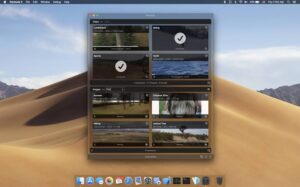

Permute 4.0.5 — Media Converter for Mac

Pros & Cons Show details

✅ PROS

  • One app covers video, audio, images, PDF, and text workflows, which reduces the need for separate converters for common Mac media tasks.
  • Drag-and-drop queues, presets, drop zones, and batch groups keep repetitive transcoding fast without scripting FFmpeg manually.
  • Reworked trim and crop tools with waveforms and pixel rulers make precise edits practical before conversion.
  • Hardware-accelerated HEVC, MP4, and ProRes presets plus an Advanced Custom FFmpeg mode suit both quick exports and technical users.
  • A one-time license around $14.99 with a trial and Permute 3 upgrade discounts avoids subscription lock-in for direct purchasers.

❌ CONS

  • Permute 4 requires macOS 26 and Apple Silicon, so Intel Macs and users on macOS 11–15 must remain on Permute 3.
  • Version 4.0.5 is a small patch release; headline features such as the redesigned UI arrived in 4.0, not this build.
  • Permute 4 needs a new license from Permute 3 except for qualifying free or discounted upgrade paths outlined by the vendor.
  • The Mac App Store build, when available, may omit features because of Apple sandbox limits compared with the direct download edition.
  • Complex multi-step jobs with many custom FFmpeg settings still demand learning preset options and troubleshooting failed track conversions.
✅ What's New in 4.0.5 Show details
  1. Incompatible subtitle warning — Warnings about incompatible subtitles now include a suppression button so repeat alerts do not interrupt workflow.
  2. Volume slider fix — The volume adjustment slider again accepts negative values, restoring downward volume changes during conversion setup.
  3. Resizable preset sheet — The preset management sheet opened from the main-window preset picker is now fully resizable for easier editing of long preset lists.
  4. Build 4.0.5 — Charlie Monroe published Permute 4.0.5 on 24 June 2026 per official macOS release notes.
  5. Maintenance focus — Version 4.0.5 is a UI and behavior patch in the 4.0 line without new format presets listed in the changelog.
  6. Current direct build — The developer site lists 4.0.5 as the current Permute 4 release for macOS 26+ on Apple Silicon Macs.

Older Versions

Version Publication date
Permute v4.0.5 Latest Current
Permute v4.0.4
Permute v4.0.3
Permute v4.0.1
Permute v3.14.4
Permute v3.14.3
Permute v3.14.2
Permute v3.14.1
Permute v3.14.0
Permute v3.13.6
Permute 3.13.5 (2859) v3.13.5.2859
Permute v3.13.5
Permute v3.13.4
Permute v3.13.3
Permute v3.13.2
Permute v3.13.1
Permute v3.13.0
Permute v3.12.6
Permute v3.12.4
Permute v3.12.3
Permute v3.12.2
Permute v3.12.1
Permute v3.12.0
Permute v3.11.19
Permute v3.11.17
Permute v3.11.16
Permute v3.11.13
Permute v3.11.12
Permute v3.11.11
Permute v3.11.10
Permute v3.11.9
Permute v3.11.8
Permute 3.11.7 (2744) v3.11.7.2744
Permute 3.11.7 (2743) v3.11.7.2743
Permute v3.11.6
Permute v3.11.5
Permute v3.11.4
Permute v3.11.3
Permute v3.11.2
Permute v3.11.1
Permute v3.10.9
Permute v3.10.8
Permute v3.10.7
Permute v3.10.4
Permute v3.10.2
Permute v3.10.1
Permute v3.10.0
Permute v3.9.15
Permute v3.9.11
Permute v3.9.10
Permute v3.9.9
Permute v3.9.8
Permute v3.9.7
Permute v3.9.6
Permute v3.9.5
Permute v3.9.2
Permute v3.9.1
Permute v3.9
Permute v3.8.9
Permute v3.8.8
Permute v3.8.7
Permute 3.8.6 (2576) v3.8.6.2576
Permute 3.8.5 (2572) v3.8.5.2572
Permute v3.8.3
Permute v3.8.2
Permute v3.8.1
Permute v3.8
Permute v3.7.7
Permute v3.7.6
Permute v3.7.5
Permute v3.7.4
Permute v3.7.3
Permute v3.7.1
Permute v3.7
Permute v3.6.9
Permute v3.6.8
Permute v3.6.7
Permute v3.6.6
Permute v3.6.5
Permute v3.6.4
Permute v3.6.3
Permute v3.6.2
Permute v3.6.1
Permute v3.6
Permute v3.5.16
Permute v3.5.15
Permute v3.5.14
Permute v3.5.13
Permute v3.5.12
Permute v3.5.11
Permute v3.5.10
Permute v3.5.9
Permute v3.5.8
Permute v3.5.7
Permute v3.5.6
Permute v3.5.5
Permute v3.5.4
Permute v3.5.3
Permute v3.5.2
Permute 3.5.1 (2287) v3.5.1.2287
Permute v3.5.1
Permute v3.5
Permute v3.4.13
Permute v3.4.12
Permute v3.4.11
Permute v3.4.10
Permute v3.4.4
Permute v3.4.1
Permute v3.4
Permute v3.2.7
Permute v3.1.5
Permute v3.1.3
Permute v2.3
Permute v2.2.8

Installation & Troubleshooting FAQ

8 questions

Common issues when installing macOS apps

Alternatives

Join the Conversation

Your email address will not be published. Required fields are marked *