

Bloom v1.5.33 for Mac
Bloom is a refined Finder alternative for macOS with multi-pane layouts, fast keyword search, Portal mode, archive browsing without extraction, batch rename, workspaces, and cloud drive support.
Version 1.5.33 (22 Apr 2026) adds search and path-copy refinements plus fixes for Quick Look, sidebars, and navigation selection.
What’s new in v1.5.33
- Escape ends search or deselects all items
- More font size options
- Per-panel AppleScript detection option
- Path style options when copying paths
- Fixed: Quick Look preview for symlinks and aliases
- Fixed: dual sidebar visibility when opening new windows
- Fixed: selection when jumping up multiple folder levels
Key features
- Multi-pane file browsing with sync browsing and column auto-resize
- Go to Folder system-wide (⌘⇧⏎) and live in-folder search (⌘F)
- Keyword search across predefined locations in seconds
- Portal — compact, pin-on-top window that collapses to screen edge
- Archive viewing without extraction; preview text/images/PDFs under 10MB
- Advanced rename with regex; workspaces; customizable shortcuts
- iCloud Drive, Dropbox, OneDrive; tags; image convert/optimize
- Folder Scan treemap; Task Scheduler; operation history (Footprints)
Requirements & licensing
- Version: 1.5.33
- macOS: 14.0 or later
- Architecture: Apple Silicon and Intel
- License: one-time purchase (~$16); 7-day free trial; no subscription
- Privacy: offline app; no personal data collection (per developer)
Official: bloomapp.club · changelog
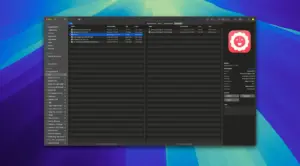





Run the downloaded image and drag the application to the Applications folder shortcut.
Once the copy is complete, you can launch the application from Launchpad.