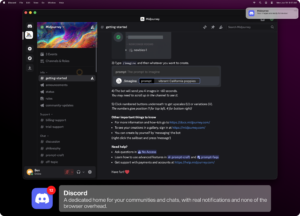
Websites as native Mac apps
Unite Pro from BZG Apps converts any URL into a standalone macOS app with its own Dock icon, isolated session, and layout modes tuned for daily tools like email, chat, and AI services.
Three ways to run each app
Create an app by pasting a URL or typing a name; Unite Pro suggests icon, title, and defaults automatically. Run it as a normal window, a persistent sidebar panel, or a lightweight menu bar utility depending on how often you check that site.
- Knowledge workers: keep Gmail, Notion, Linear, or ChatGPT out of crowded browser tabs.
- Multi-account users: separate logins per app with isolated WebKit sessions.
- Tinkerers: hide page clutter, force dark mode, add per-URL scripts and styles, and route links to other apps.
macOS integration beyond Safari web apps
Unite Pro adds Dock badges, meeting alerts for Google Calendar and Outlook, media key support, smart link forwarding for SSO flows, and enhancements for select services. Website controls let you strip sticky headers, adjust typography, and set per-site zoom without maintaining a separate browser profile.
Unite Pro 1.5 on your Mac
Version 1.5 requires macOS 15 or later and is optimized for macOS 26 Tahoe on Intel and Apple Silicon. Your first created app is free to use; full Unite Pro sells as a one-time license with free 1.x updates, with Setapp as an alternative subscription path.