

Tinderbox v11.7.0 for Mac
Tinderbox is a deep Mac writing and thinking environment from Eastgate Systems: a note-taking workbench where ideas can live as outlines, maps, linked notes, and evolving structures—built for researchers, writers, analysts, and anyone who needs to grow a knowledge base without flattening it into a simple list.
Version 11.7.0 is a major refinement release focused on faster everyday mechanics, richer discovery tools, and clearer AI-related status visibility.
What’s new in Tinderbox 11.7.0
Infrastructure & polish: Eastgate emphasizes extensive internal improvements to remove delays and interruptions—work that does not always show up as a single headline feature, but makes large documents feel smoother day to day.
Much faster Explode: Note ▸ Explode… is dramatically faster when splitting content into very large numbers of new notes—important for importing or restructuring big sources.
Better Find: expanded matching modes including plain text, regular expressions, and diacritic-insensitive matching, plus more contexts for surfacing results.
Improved Preview pane: refinements to preview behavior as part of the overall quality push.
AI integration clarity: the Inspector’s Info pane can show MCP connection status (disabled in app, disabled for document, active, disconnected) so AI-related setup is easier to diagnose.
Command Bar upgrades: new slash-style capabilities such as /do, /eval, /find (fuzzy matching), and /query; faster access to tabs/stamps and extensibility via structured command items.
Attribute Browser: flexible binning for continuous variables and faster performance.
New actions: includes helpers like aligning notes on the map and creating text links between notes, plus improved handling for complex JSON payloads.
Eastgate notes 100+ significant improvements since 11.6; full detail lives in in-app help/release notes.
Who it is for
Tinderbox fits users who want notes that can become systems: structured thinking, incremental formalization, and tools that scale from quick capture to serious analysis—without forcing every project into the same rigid database model.
Official resources
- Release notes (11.7): Tinderbox 11.7.0
- Product home: eastgate.com/Tinderbox
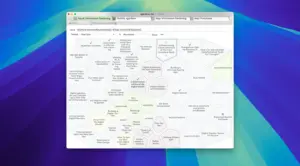





Mount the image and launch Open Gatekeeper Friendly.
Press Enter to bypass Gatekeeper in the Terminal window.
Drag the application to the Applications folder.
The application is ready to use.
Architecture
x86 (64-bit)