

SwiftServer 2.0.0 for Mac
SwiftServer from GitSwift LLC is a native Apple-platform app for monitoring Linux servers, opening SSH terminals, and managing remote files over SFTP—without installing agent software on the remote machine.
What SwiftServer does
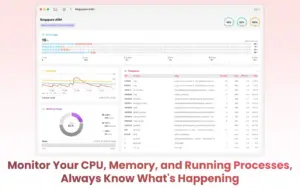
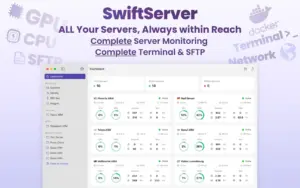
SwiftServer connects to your servers over SSH and collects metrics using standard Linux commands. The dashboard shows CPU, GPU, memory, storage partitions, network activity, Docker container health, and server IP location. You can organize multiple servers, launch terminals, upload and download files, preview and edit remote files, and sync server configurations across iPhone, iPad, and Mac via iCloud.
The terminal is customizable (fonts, colors, backgrounds) and integrates with the monitoring workflow so admins and developers can check metrics and run commands from one app. Version 1.x added macOS host monitoring, Docker management, SFTP folder transfers, and machine groups; version 2.0 is a major SSH and workflow update.
Who it is for
It targets system administrators, backend developers, and IT staff who manage VPS, homelab, or cloud Linux instances and want a mobile-friendly alternative to juggling separate SSH clients, SFTP tools, and monitoring dashboards.
Version 2.0.0
According to the Mac App Store release notes, SwiftServer 2.0.0 replaces the SSH stack with a new engine for more stable connections, adds jump server (bastion) support, redesigns Global View, introduces widgets and Live Activities, server tag filtering, custom status page layouts, and SFTP transfers between servers. Terminal selection/copying on iOS, latency display, network unit settings, authentication prompts, and session cleanup are also improved.
The vendor docs changelog page had not listed 2.0.0 at research time; treat App Store “What’s New” as the primary source for this build.
Licensing and requirements
SwiftServer is free to download with in-app purchases (about $1.99/month, $9.99/year, or $34.99 lifetime on the US store). A free trial is offered. Mac requires macOS 15.0 or later; companion iOS/iPad builds require iOS 18.0 or later per the current App Store listing. Remote servers need SSH access; no SwiftServer agent is required on Linux hosts.





Hey, thank you for publishing the Resident Evil Village game in 2024; it was amazing! It worked beautifully and professionally. Could you please download Resident Evil 9 Requiem, the new cracked version? I would really appreciate it. Thanks again!