
BBEdit 16.0 for Mac

BBEdit
Name:BBEdit v16.0 Incld.K macOS iamdumb.dmg.torrent (30.06MB)
Hash:b9c53d5418347ea601c99ebc6f160240dff03213
Review by:
Downloads 577
Rating
4.4 21 Click to rate
Checked
   Download Torrent Download Now

BBEdit is Bare Bones Software’s professional text and code editor for macOS—grep search, multi-file replace, syntax coloring, HTML tools, FTP/SFTP, Git integration, and project workflows in one native app that has shipped since 1992.

How Mac developers use it

BBEdit fits editing prose, web markup, scripts, and large codebases. Open local folders as projects or disk browsers, search across thousands of files with grep patterns, fold functions, compare revisions, and deploy static sites via built-in markup tools. Shell worksheets, AppleScript, and Unix scripting extend automation; Git and Subversion hooks remain familiar to long-time users (Subversion support is retired in 16). After the 30-day evaluation, BBEdit still runs in Free Mode for basic editing; licensed features unlock via a one-time purchase or Mac App Store subscription.

Licensing and system fit

BBEdit 16 requires macOS 14.0 or later on Intel or Apple Silicon Macs. A new license costs $59.99 direct; upgrades from BBEdit 15 are $29.99 (free if you bought 15 on or after 1 November 2025 per Bare Bones upgrade policy). Earlier-version upgrades are $39.99. The Mac App Store edition uses a $5/month or $50/year subscription. Version 16 resets the 30-day full-feature trial for existing Free Mode users.

Version 16.0 highlights

The 16.0 release adds OCR-powered text search inside images, expanded Shortcuts actions for BBEdit text transforms, optional vi keyboard emulation, separate test and production deployment targets in web projects, W3C HTML5 syntax checking, LSP semantic token coloring, notebook sidebar search, streaming AI worksheets, and major SFTP performance gains—plus grapheme-cluster emoji handling fixes and 100+ smaller additions documented in the official notes.
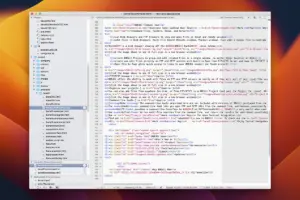
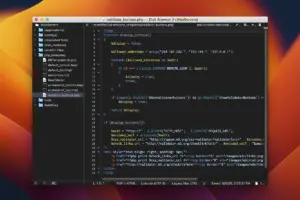
BBEdit 16.0 on Mac: grep, projects, OCR image search, Shortcuts, vi keys, faster SFTP. $59.99 or $50/yr MAS. BBEdit 16.0 for Mac — Text & Code Editor

Pros & Cons Show details

✅ PROS

  • BBEdit combines grep, multi-file editing, HTML validation, SFTP, and Git in one native Mac app trusted by web authors and developers for decades.
  • Version 16.0 OCR image search via Apple VisionKit lets you find grep matches inside PNG, JPEG, and PDF assets without leaving the editor.
  • Expanded Shortcuts App Intents expose BBEdit text transforms (extract lines, sort, replace) to macOS automation beyond the app itself.
  • SFTP operations are dramatically faster in 16.0, which matters for Mac users who edit remote sites through BBEdit’s built-in browsers.
  • Free Mode after the trial and a fresh 30-day evaluation on upgrade let cautious users test 16.0 before paying $59.99 or subscribing.

❌ CONS

  • BBEdit 16 is a paid major upgrade ($29.99–$59.99 depending on your current version), unlike free editors such as VS Code or Nova’s trial model.
  • macOS 14 minimum drops support for older Macs still on Ventura or Monterey, forcing an OS upgrade to run 16.0.
  • Subversion integration is retired in version 16, which breaks workflows for teams still on SVN without migrating to Git.
  • W3C HTML checking sends files to an external HTTPS service by default; privacy-focused users must run a local Docker validator instead.
  • vi emulation is basic and :q closes a document rather than quitting—vim purists may still prefer a dedicated terminal editor.
✅ What's New in 16.0 Show details
  1. [Text search in images] — Multi-File Search can find grep matches inside image files using macOS OCR, with preview and highlight of matched lines.
  2. [Shortcuts App Intents] — New Transform Text and related Shortcuts actions expose BBEdit line operations to macOS workflows outside the app.
  3. [vi keyboard emulation] — Optional vi navigation and editing modes appear in Keyboard settings, with status shown below the text area.
  4. [Test and production deployment] — Web projects gain separate Testing and Production deployment locations with distinct Deploy Site commands.
  5. [W3C HTML5 checker] — HTML5 syntax checking defaults to the W3C online service, with a local Docker validator option for offline use.
  6. [Faster SFTP transfers] — Rewritten SFTP layer delivers visibly faster file operations, often an order of magnitude where network allows.
  7. [Notebook sidebar search] — A search field at the bottom of the Notebook sidebar filters notes by name and content instantly.
  8. [LSP semantic coloring] — Language Server Protocol semantic tokens supplement built-in syntax coloring when the server supports them.
  9. [Streaming AI worksheets] — AI worksheet responses stream in chunks so answers appear sooner instead of waiting for the full reply.
  10. [Emoji grapheme clusters] — Improved handling of complex emoji sequences prevents zero-width joiner characters from splitting graphemes incorrectly.

Older Versions

Version Publication date
BBEdit v16.0 Latest Current
BBEdit v15.5.5
BBEdit v15.1.3
BBEdit v14.6.3
BBEdit v14.6.2
BBEdit v14.6.1
BBEdit v14.6
BBEdit v14.5.2
BBEdit v14.1
BBEdit v14.0.4
BBEdit v14.0.3
BBEdit v14.0.2
BBEdit v14.0
BBEdit v13.5.6
BBEdit v13.5.5
BBEdit v13.5.4
BBEdit v13.5.3
BBEdit v13.5.2
BBEdit v13.1.3
BBEdit v13.0.6
BBEdit v13.0.5
BBEdit v12.6.7

Installation & Troubleshooting FAQ

8 questions

Common issues when installing macOS apps

Alternatives

1 Comment

Join the Conversation

Your email address will not be published. Required fields are marked *