
Marked 3.0.39 for Mac

marked
Name:Marked 3.0.39.dmg.torrent (74.11MB)
Hash:545f59b92b52d1ca85afe1e04aa4d2f04bfff6fb
Review by:
Downloads 176
Rating
4.3 33 Click to rate
Checked
   Download Torrent Download Now

Marked 3

A macOS Markdown preview app by Brett Terpstra that watches files from your preferred text editor and renders formatted output in real time—it is a previewer, not a writing surface.

How writers use it on Mac

Marked 3 sits beside editors such as VS Code, iA Writer, nvUltra, Ulysses, or Scrivener and refreshes whenever you save. You get styled HTML preview, document statistics, navigation, and proofreading helpers without leaving your existing toolchain. Folder watching, streaming preview from supported apps, and include syntax for multi-file projects make it useful for long-form books, technical docs, and blog drafts alike.

Processing is flexible: built-in CommonMark (GitHub Flavored Markdown) and Kramdown paths, MultiMarkdown features, custom shell processors, and Custom Rules for transforms before rendering. Export covers PDF, HTML, DOCX, EPUB, RTF, and more, with export profiles and tabbed windows for comparing outputs. Marked 3 also adds wiki-style navigation with backlinks, TextBundle support, and Scrivener live preview integration beyond what Marked 2 offered.

Proofreading and export depth

The app targets professional workflows where presentation matters. DOCX round-tripping supports change tracking, comments, and math; EPUB export accepts custom CSS; and proofreading tooling helps catch style issues before you ship. Browser extensions can send web pages through Markdownify for capture into your writing pipeline.

Licensing and version 3.0.39

Marked 3 is available from markedapp.com (free trial and direct builds), the Mac App Store, and Setapp. The vendor lists subscription or permanent-unlock pricing on the website; the Mac App Store build requires macOS 12.4 or later. Version 3.0.39 (June 2026) adds a keyboard-driven Quick Actions palette, stronger DOCX and Mermaid export, and several Conductor and palette reliability fixes documented in the official release notes.
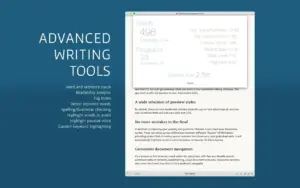
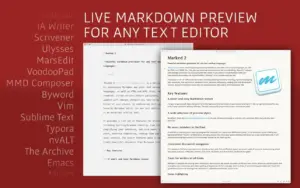
Marked 3.0.39 — Markdown Preview for Mac Marked 3.0.39 previews Markdown live from any editor on Mac

Pros & Cons Show details

✅ PROS

  • Editor-agnostic live preview lets you keep Vim, VS Code, or Scrivener while still seeing polished formatted output on save.
  • Broad processor and Custom Rules support handles GFM, Kramdown, MultiMarkdown, and shell-based pipelines for specialized publishing needs.
  • Export to PDF, DOCX, EPUB, HTML, and RTF covers blogging, print, and Word collaboration from one preview tool.
  • Deep integrations with Scrivener, Obsidian vaults, MarsEdit, and streaming-preview editors reduce copy-paste between apps.
  • Version 3.0.39 adds a searchable Quick Actions palette so frequent menu commands are reachable from the keyboard.

❌ CONS

  • Marked is a previewer only; you still need a separate editor for composing and revising text.
  • Full feature access on the Mac App Store requires a subscription or permanent unlock beyond the free download tier.
  • macOS 12.4 minimum on the current App Store build may exclude some older Macs the marketing site still lists as supported.
  • Advanced Conductor, Homebrew preprocessor, and direct-download-only paths behave differently between Mac App Store and direct builds due to sandbox limits.
  • Learning curve is steeper than a simple in-editor preview because export profiles, custom processors, and style tooling take time to configure.
✅ What's New in 3.0.39 Show details
  1. Quick Actions palette — Press A to open a searchable spotlight-style panel that runs main-menu and preview gear commands from the keyboard with fuzzy matching.
  2. DOCX Mermaid diagrams — Export now embeds rendered Mermaid charts as PNG images with correct sizing instead of leaking source code or label text into Word.
  3. DOCX Word compatibility — Fixes list, style, and footnote character issues so large documents with hundreds of lists open in Microsoft Word without unreadable-content errors.
  4. Conductor and shell execution — Direct builds launch Homebrew tools such as jq more reliably; shell fallback uses a wrapper script so complex inline filters are not mangled by zsh parsing.
  5. Document Intelligence localization — Ask About Document panels, preset prompts, and status text now pull from localized strings with Apple Intelligence answers following the user’s system language.
  6. Subscription UI refresh — Mac App Store purchase screen shows live StoreKit localized prices with a yearly savings callout and “Permanent Unlock” wording instead of “Lifetime License.”
  7. Palette and export fixes — Resolves a Quick Actions crash on submenu parents, corrects the embedded-script bash path, and stops the widow-fix checkbox from disabling when auto-hyphenation is on.

Older Versions

Version Publication date
Marked v3.0.39 Latest Current
Marked v2.6.46
Marked v2.6.41
Marked v2.6.38
Marked v2.6.36
Marked v2.6.33
Marked v2.6.29
Marked v2.6.27
Marked v2.6.24
Marked v2.6.21
Marked v2.6.20
Marked v2.6.18
Marked v2.6.17
Marked v2.6.15
Marked v2.6.14
Marked v2.6.13
Marked v2.6.12
Marked v2.6.10
Marked v2.6.8
Marked v2.6.6
Marked v2.6.5
Marked v2.6.4
Marked v2.6.3
Marked v2.6.2
Marked v2.6.1
Marked v2.6.0
Marked v2.5.43
Marked v2.5.42
Marked v2.5.41
Marked v2.5.39
Marked v2.5.36
Marked v2.5.35
Marked v2.5.32
Marked v2.5.31

Installation & Troubleshooting FAQ

8 questions

Common issues when installing macOS apps

Alternatives

Join the Conversation

Your email address will not be published. Required fields are marked *