
PDFify
A macOS utility that turns paper scans, photos, emails, and web pages into searchable PDFs so you can find text later instead of retyping or hunting through image-only files.
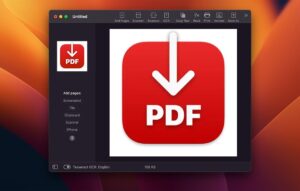
Dirk Holtwick’s app sits between a scanner and a finished archive. You drag a JPG, PNG, existing PDF, mail message, or webpage onto the window—or capture pages from Continuity Camera, a desktop scanner, or ScanSnap—and PDFify applies OCR when the page has no text layer. Recognition uses either Apple Vision or the bundled Tesseract engine (Tesseract 5 on Apple Silicon since the 5.0 line), covering well over a hundred languages according to the vendor. When text already exists, you can still force a full-document OCR pass and compare settings. One click copies the recognized text; Speech can read it aloud. Undo covers recent steps if a compression or OCR pass goes wrong.
How a typical Mac workflow looks
People who digitize receipts, contracts, or lecture notes often run PDFify in two modes: interactive in the main window, or hands-off via Finder Quick Actions that create a searchable PDF, squeeze file size, or convert to PDF/A without opening the UI. Batch processing (macOS 11+) handles folders of scans. Pro unlocks remove the free-tier watermark and enable the strongest recognition mode, language correction, file-size optimization, linearized PDFs for faster web viewing, standardized maximum page sizes, import-on-top, PDF/A save (macOS 11+), and plain-text or JSON export. Free users still get both OCR engines, drag-and-drop import, Continuity Camera, scanner input, copy/print/share, and batch Quick Actions with limits shown on the vendor’s comparison table.
Licensing is a free download with optional Pro: App Store in-app purchases list about $0.99/month, $9.99/year, or a $29.99 lifetime license; the developer also sells direct from pdfify.app and recommends the site purchase for support flexibility. The App Store privacy label states that no data is collected. Compatibility is macOS 10.14 or later on the store listing (the site sometimes cites 10.13.6); the 5.2 package is about 20.5 MB. Store metadata lists English and German; French localization was added in the 5.0 release on the site changelog.
Version 5.2
Release 5.2 (build 52004) focuses on scanning and automation. On macOS 14 and later, a redesigned scanner dialog lets you pick source, color mode, resolution, and duplex, preview the page, and set the scan area by drag, millimeter/inch entry, or presets such as DIN A4 and US Letter—remembered per scanner—with compact and detailed layouts. A checkbox chooses whether each scan starts a new document or appends to the open one. Compression gains Grayscale and Black & White presets for text-heavy scans, a default Guard that skips presets that would enlarge the file, and faster true black-and-white storage. App Shortcuts expose compress, OCR, PDF/A, get text, and export JSON from Spotlight, Shortcuts, or Siri. The status bar shows PDF/A type when applicable, and image fit options expand to A3, A5, US Legal, and Tabloid. Network scanner reliability, JPG imports from Photos, and Tesseract freezes also received fixes. If you scan often or want OCR without opening the app, 5.2 is the build to install.



Mount the image and launch Open Gatekeeper Friendly.
Press Enter to bypass Gatekeeper in the Terminal window.
Drag the application to the Applications folder.
The application is ready to use.
Compatibility
macOS 10.13.6 and later
Architecture
ARM, x86 (64-bit)