Muffle
A lightweight focus utility for macOS that blurs and dims everything except the frontmost window, so a crowded desktop stops competing for your eyes.
How you use it on Mac
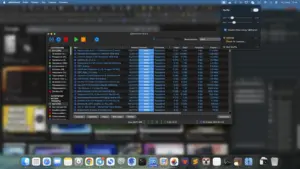
Install it, leave it running in the background, and work as usual. When you want tunnel vision, shake the cursor to toggle the effect on or off without hunting through menus. Background windows, desktop clutter, and other open apps fade; the window you are in stays sharp. Intensity is adjustable: you can raise or lower blur strength and how strongly inactive windows are dimmed until the look matches your display and taste.
Typical moments are deep work in a code editor or document, ADHD-friendly single-task sessions, and screen sharing or presentations where you would rather not show Slack, email, or a messy desktop. Some users keep it on during Teams or Meet calls so viewers stay on the shared window instead of side panels. It is not a full Focus Mode replacement and does not silence notifications by itself; its job is visual isolation of the active window.
Design, requirements, and licensing
The Mac build is described by the vendor as native Swift with negligible idle CPU—useful if you leave focus tools running all day. Official support starts at macOS 14.0; a Windows edition is also offered from the same site, but this catalog entry is for the Mac app. A seven-day free trial is available so you can test shake-to-toggle and blur/dim settings before buying.
Pro is sold as a one-time purchase (launch pricing commonly shown around $7.99, regular $9.99) with a lifetime license, unlimited updates according to the vendor, and activation on two devices. Version 1.3 continues that product line; the vendor does not publish a detailed public changelog for this build on the marketing site, so treat 1.3 as the current cataloged release of the same focus-blur utility rather than a documented feature overhaul.
Who it fits
It suits Mac users who want something closer to a HazeOver-style dim/blur aid than another complex productivity suite. Expect Accessibility or related permissions may be required for window overlays, depending on how the build interacts with the system—follow the app’s prompts. If you need multi-monitor edge cases, exclusion lists for specific apps, or advanced scripting, verify those needs during the trial, because the public site emphasizes a small, focused feature set over a large preference panel.