
Millumin 5.14.j for Mac

Millumin 4
Name:Millumin5 5.14.j [TNT].dmg.torrent (120.77MB)
Hash:370aea5e184444e994425eb093f74b1bdc717f7a
Review by:
Downloads 134
Rating
4.8 31 Click to rate
Checked
   Download Torrent Download Now

Millumin on Mac

Millumin is macOS software for building and running live audiovisual shows: video projection, LED mapping, interactive installations, and staged media playback from one timeline-driven workspace.

Who uses it

The app targets VJs, projection designers, theatre technicians, and installation artists who need reliable show control rather than a non-linear editor. You work with columns and layers, trigger cues during performance, and send output to multiple displays or capture cards from a single Mac.

Core workflow

  1. Import media into the library (video, stills, shaders, TouchDesigner TOX, browser sources, and more).
  2. Build canvases for each physical output or surface, with mapping slices where geometry matters.
  3. Organize cues in columns or multi-canvas timelines for the running order of the show.
  4. Rehearse with previews, then run live with keyboard, MIDI, timecode, or OSC triggers.

What you can control

  • Layers with opacity, position, rotation, masks, effects, and custom stinger transitions.
  • Lights, lasers (including IDN), DMX fixtures, and interactions driven by sensors or QR/barcode input.
  • Remote control through a broad OSC API, plus scripts in JavaScript with Network and Graphics modules.
  • Professional I/O: NDI, Syphon, Blackmagic, AJA, HDR outputs, and timecode in/out (LTC/MTC).

Version 5.14 line

Build 5.14.j sits in the Millumin V5 release family (marketing generations also refer to V4 licenses that unlock V1–V5). The 5.14 major update added silent edition for editing without affecting audience outputs, auto states per column, a redesigned script editor, integrated media editor, HDR support, advanced gradients, and QR/barcode interactions. Patch releases since then refined timecode, NDI metadata, stinger transitions, and script-editor behavior.

Build 5.14.j specifically

The developer states 5.14.j fixes scripted-media color rendering on macOS 26, where templates such as TimeCounter could display only a white or gray square. The public web changelog had not yet listed 5.14.j separately at the time of writing; see Help → Changelog inside the app for the full entry when published.

Licensing and hardware

Millumin V5 requires macOS 11 Big Sur or later and runs on Intel and Apple Silicon Macs. A 30-day trial is available; lifetime licenses start around 399 EUR, with rental and educational options. External GPU works on Intel Macs with Thunderbolt enclosures; Apple Silicon Macs do not support eGPU.
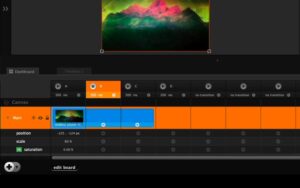
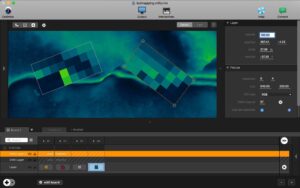
Millumin 5.14.j for Mac: projection mapping, timelines Millumin 5.14.j — Live Show Software for Mac

Pros & Cons Show details

✅ PROS

  • Column-and-timeline workflow matches how live shows are actually called, which is faster on stage than hunting through a traditional NLE timeline.
  • Built-in projection mapping, multi-canvas timelines, and slice editing cover both simple single-projector gigs and complex mapped installations.
  • Deep OSC, MIDI, timecode, and JavaScript scripting let Millumin sit at the center of a larger tech stack without custom glue code for every cue.
  • Silent edition in the 5.14 line lets you rehearse and edit cues while the audience output stays frozen on the last live state.
  • Native Apple Silicon optimization and codecs such as HAP and ProRes help maintain smooth playback on modern MacBook Pro and Mac Studio rigs.
  • A V5 license can run Millumin versions V1 through V5, which protects long-term projects that still reference older show files.

❌ CONS

  • Lifetime pricing starts around 399 EUR, which is a serious cost for hobbyists compared with free tools like OBS or Resolume trial workflows.
  • macOS-only development means Windows/Linux venues need another machine or operator in mixed environments.
  • Version 5.14.j is a narrow patch; most of its documented change is a macOS 26 script-color fix rather than new creative features.
  • Apple Silicon Macs cannot use eGPU expansion, so very large multi-4K shows may still favor Intel Macs with external graphics.
  • The learning curve is steep because mapping, interactions, timecode, and scripting each have their own panels and concepts to master.
  • Show files and codec choices are performance-sensitive; underpowered Macs or poorly prepared H.264 media can still drop frames during dense cues.
✅ What's New in 5.14.j Show details
  1. [Script colors on macOS 26] — Fixes a conflict with a new macOS color API that caused JavaScript scripted media to render as a blank white or gray screen.
  2. [TimeCounter scripted media] — Restores normal output for the TimeCounter template and similar custom timer scripts affected by the macOS 26 color bug.
  3. [CMD+W in script editor] — From 5.14.i: close script-editor tabs with the standard Mac shortcut for faster scripting workflows.
  4. [MTC 29.97 drop-frame fix] — From 5.14.i: corrects MTC timecode at 29.97 DF, important for broadcast-style sync with devices such as Rosendahl MIF4.
  5. [Silent edition multi-canvas] — From 5.14.i: fixes silent-edition behavior on multi-canvas timelines so backstage edits do not leak to outputs.
  6. [Blackmagic 12.4 on older macOS] — From 5.14.i: allows Blackmagic Desktop Video 12.4 drivers on older macOS versions where supported.

Older Versions

Version Publication date
Millumin v5.14.j Latest Current
Millumin 4 v5.12.s
Millumin 4 v4.18.k
Millumin 4 v4.18.j
Millumin 4 v4.18.i
Millumin 4 v4.18.h
Millumin 4 v4.18.d
Millumin 4 v4.18.c
Millumin 4 v4.18.a
Millumin 4 v4.16.g
Millumin 4 v4.16.f
Millumin 4 v4.16.c
Millumin 4 v4.16.a
Millumin 4 v4.12.l
Millumin 4 v4.12.k
Millumin 4 v4.12.j
Millumin 4 v4.12.i
Millumin 4 v4.12.h
Millumin 4 v4.12.e
Millumin 4 v4.12.d
Millumin 4 v4.12.b
Millumin 4 v4.12.a

Installation & Troubleshooting FAQ

8 questions

Common issues when installing macOS apps

Alternatives

Important

Mount the image and launch Open Gatekeeper Friendly.

Press Enter to bypass Gatekeeper in the Terminal window.

Drag the application to the Applications folder.

The application is ready to use.

Compatibility
macOS 11 and later

Architecture
x86 (64-bit)

Join the Conversation

Your email address will not be published. Required fields are marked *