
Library Monkey Pro 3.6 for Mac

Library Monkey Pro
Name:Library Monkey Pro 3.6 [TNT].dmg.torrent (19.85MB)
Hash:0bd367c2b6168cd1d053ee3b6c6f1aa1e346f5ba
Review by:
Downloads 120
Rating
4.7 11 Click to rate
Checked
   Download Torrent Download Now

Library Monkey Pro

A macOS audio asset manager that combines library cataloging, CD ripping, waveform editing, and Sound Grinder Pro–class batch processing in one application for post-production, game audio, and music libraries that outgrow Finder and lightweight converters.

Typical Mac workflow

You import folders by drag-and-drop or pull in an iTunes XML library to seed metadata and playlists quickly. Assets live in Libraries mapped to disk structure, while Sets and hierarchical Smart Sets group files by project, character, talent, or any custom criteria that updates automatically as you add material. Boolean and field-specific searches run globally or within selected libraries; results can be parked in multiple Bins until you are ready to process or spot them to a DAW.

When a file needs attention, the waveform editor opens with multi-channel views, overview navigation, fades, loops, markers, regions, auto-trim, and auto-regioning. Portion Control exports defined segments—start, middle, or end slices with fades—for demo reels or loop packs. Batch jobs handle format conversion, normalization, folder-structure retention, custom naming for Pro Tools splits, and AU/VST plug-in chains with preview before processing.

Metadata, ripping, and DAW integration

Thirty user-defined fields extend vendor SFX or music metadata to match your production taxonomy. Batch metadata tools cover ID3, Vorbis, FLAC, WAVE, Broadcast WAVE, Soundminer, MPEG-4 artwork, CSV import, and field remapping. Built-in CD ripping supports track indexes for legacy disc libraries. Spotting sends assets to Pro Tools or Logic Audio with conversion options aligned to session settings; Droplets and Rapid Convert extend presets into Finder drag-and-drop workflows.

Licensing and version 3.6

Library Monkey Pro requires macOS 10.13 or later and runs natively on Apple Silicon per the vendor’s Version 3 notes. Monkey Tools sells a one-time license (about $449 on the product page) with a trial DMG; active licenses are required for in-app updates. Version 3.6 is the current direct download from monkey-tools.com (DMG dated May 2026), but the vendor does not publish a detailed changelog for this build—treat 3.6 as the latest maintenance line of the Version 3 feature set.
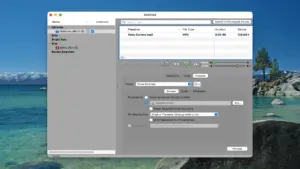

Library Monkey Pro 3.6 — Audio Librarian for Mac

Pros & Cons Show details

✅ PROS

  • Libraries, Sets, Smart Sets, and multiple Bins scale to large SFX and music collections without leaving a single macOS app.
  • Integrated waveform editing, Portion Control, and batch conversion remove the need to pair a separate librarian with Sound Grinder Pro for many workflows.
  • CD ripping with index support and iTunes XML import help migrate legacy physical and iTunes-based libraries quickly.
  • AU and VST batch pipelines with preview suit delivery passes that need consistent plug-in treatment across thousands of files.
  • Thirty user-defined metadata fields and CSV import support custom taxonomies that stock library tools often lack.

❌ CONS

  • Monkey Tools does not publish per-version release notes for 3.6, so exact fixes in this build are unclear.
  • The ~$449 one-time license and active-license requirement for updates make it costly for hobbyists who only need basic cataloging.
  • The feature-dense, single-window interface has a steeper learning curve than lighter tools such as base Library Monkey or Sound Grinder.
  • Plugin batch jobs depend on third-party AU/VST stability, which can complicate unattended overnight processing.
  • It is sold only through Monkey Tools, not the Mac App Store, which may matter for managed or sandboxed Mac environments.
✅ What's New in 3.6 Show details
  1. Asset libraries — Organizes audio in Libraries, Sets, Smart Sets, and multiple Bins with boolean and field-specific search across large collections.
  2. CD ripping — Rips CD libraries with full track and index support for instant access to indexed disc material.
  3. Waveform editor — Edits multi-channel audio with overview navigation, regions, loops, markers, auto-trim, and auto-regioning inside the librarian.
  4. Portion Control — Exports user-defined start, middle, or end segments with fades for demos, loops, and auto-regioned batch exports.
  5. AU and VST processing — Batch-applies Audio Unit and VST plug-ins, including Monkey Tools’ Watermark plug-in, with pipeline preview before processing.
  6. Version 3 platform support — Apple Silicon, 64-bit processing, list-view audio overview, and macOS 10.13+ compatibility are documented for the Version 3 line that includes 3.6.

Older Versions

Version Publication date
Library Monkey Pro v3.6 Latest Current
Library Monkey Pro v3.5
Library Monkey Pro v3.4.1
Library Monkey Pro v3.2.2
Library Monkey Pro v3.2.1
Library Monkey Pro v3.2
Library Monkey Pro v3.1.1
Library Monkey Pro v3.1
Library Monkey Pro v3.0.4

Installation & Troubleshooting FAQ

7 questions

Common issues when installing macOS apps

Alternatives

Join the Conversation

Your email address will not be published. Required fields are marked *