

iMazing — manage your iPhone and iPad from the Mac
A DigiDNA utility that backs up Apple mobile devices to your computer, browses the data inside those backups, and transfers messages, photos, music, and files without relying on Finder’s limited sync tools or iCloud alone.
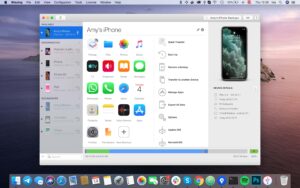
Connect an iPhone, iPad, or iPod over USB or Wi-Fi and iMazing shows device datasets much like a file browser: Messages and WhatsApp threads with attachments, the Photos library, music, contacts, notes, call history, voicemail, Safari data, and the device file system. You can schedule automatic backups with snapshots, park archives on an external drive or NAS, restore selectively, and use Quick Transfer to drop files onto the device. Manage Apps downloads .ipa packages to the Mac and installs them across devices when Apple’s servers allow it. Free capabilities include creating and browsing backups; paid Personal or Business subscriptions unlock the fuller transfer and export feature set.
What the 3.5 line adds for Mac users
iMazing 3.5 introduced a collapsible device sidebar, File System search with wildcards, macOS-only USB screen recording (H.264), battery diagnostic export, Device Console in Terminal, IDAM audio/MIDI over USB, and deeper Messages/WhatsApp export options (reactions, timestamps, PDF/RSMF improvements, WhatsApp polls). Developer-oriented tools cover screenshots, geolocation simulation, and network/Bluetooth packet capture when Developer Mode is enabled. Business subscriptions add iMazing Configurator and CLI for supervision, blueprints, and fleet workflows. The Mac app requires macOS 10.12 or later; the 3.5.5 download is about 315 MB.
Licensing is device-slot based and installable on unlimited Macs and PCs. DigiDNA retired new perpetual “Device License” sales around July 2025 in favor of annual Personal (up to 20 devices/year, slots free after 270 days inactive) and Business subscriptions; legacy perpetual holders keep their terms. Backups and backup browsing remain free for migration scenarios—typically only the destination device needs a paid slot.
Version 3.5.5
Build 3.5.5 (24057), released June 10, 2026, adds early support for the iOS 27 beta, with a documented known issue that photos may take a long time to load. Two days earlier, 3.5.4 fixed Manage Apps authentication failures after Apple server changes (“invalid response content type”) and improved HTTP 429 rate-limit handling—relevant if you update apps or download IPAs. Treat 3.5.5 as a compatibility patch for beta iOS testers rather than a new feature drop; production users on stable iOS still get the 3.5 toolset plus recent Manage Apps reliability work.





Run the downloaded image and drag the app to the Applications folder shortcut.
After copying is complete, you can launch the app from Launchpad.
Activation code: id000000000000odr