
Crimson Desert 1.08.00 for Mac

Name:Crimson_Desert_v1_08_00_MacOS-ARM_dmg_torrent.torrent (94GB)
Review by:
Downloads 625
Rating
4.6 19 Click to rate
Checked
   Download Torrent Download Now

Crimson Desert 1.08.00 for Mac

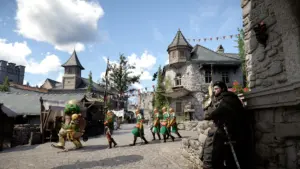
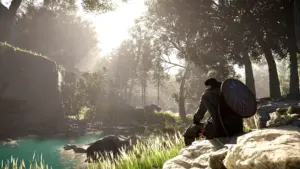
Crimson Desert is an open-world action-adventure from Pearl Abyss set on the continent of Pywel. You follow Kliff and the Greymanes faction through exploration, faction politics, and fast melee and ranged combat across wilderness, towns, and Abyss dungeons.

What Crimson Desert is

The game blends large-scale exploration with character-driven missions, camp management, crafting, mounts, pets, and multi-character combat styles. Battles emphasize timing, weapon choice, and skill builds rather than a single fixed class path.

On Mac, Crimson Desert launched natively for Apple Silicon in March 2026 via Steam and the Mac App Store. Pearl Abyss recommends macOS 26 Tahoe or later for best stability; the Mac App Store listing requires macOS 15.0+ and an M1 chip or newer. The Mac release is the Digital Standard Edition only (no pre-order bonus per official edition notes).

Version 1.08.00

Patch 1.08.00 (22 May 2026) is a major content and quality-of-life update available on Steam (Mac), Mac App Store, and other platforms. Headline additions include a dedicated tool equipment slot, buildable fish ponds at Howling Hill and Pailune Camp, 20 new small-animal pets, and a Baby Wyvern pet (mount growth planned in a future update). The patch also adds instant refinement shortcuts, expanded keyboard secondary bindings, separate map markers for surface vs. Abyss, and many bug fixes.

For Mac players specifically, Metal4 is enabled by default on devices running macOS 26.5 or higher, alongside ongoing graphics and stability fixes.

Licensing and requirements

Crimson Desert is a premium purchase (not free-to-play). Available on Mac through Steam and the Mac App Store; console and PC editions include Deluxe/Collector options not listed for Mac. Requires Apple Silicon; Intel Macs are not supported. Internet connection required for updates and online features as applicable.
Pros & Cons Show details

✅ PROS

  • Native Apple Silicon Mac release—rare for a AAA-scale open-world title at launch.
  • 1.08.00 adds meaningful camp and inventory QoL (tool slot, fish pond, more pets).
  • Post-launch support is active with large weekly-style patches and cross-platform parity on Mac.
  • Deep combat and exploration loop with multiple playable combat characters and Abyss content.
  • Steam Mac owners receive updates alongside PC; Mac App Store path also supported after initial rollout delay.

❌ CONS

  • Mac is Standard Edition only; Deluxe/Collector extras and pre-order bonuses are not on Mac per official notes.
  • Apple Silicon and modern macOS required—no Intel Mac support.
  • Large install size and demanding graphics; Pearl Abyss recommends macOS 26 for optimal performance.
  • Baby Wyvern mount functionality is not in 1.08.00 yet—only pet registration for now.
  • Controller remapping was still in development at 1.08.00 release per official developer note.
✅ What's New in 1.08.00 Show details
  1. [Tool slot] — Added a dedicated slot for tools (axe, pickaxe, shovel, etc.) below the secondary weapon slot; mask/circlet quickslots moved to the armor tab.
  2. [Camp fish ponds] — Ponds can be built at Howling Hill and Pailune Camp; release and breed fish, with legendary fish protected and restored if previously lost.
  3. [Pets] — 20 new small-animal species plus Baby Wyvern as a registrable pet; wyvern mount growth teased for a future update.
  4. [Refinement and crafting QoL] — Instant refine without manual material selection, superior branch blueprints, mass painting craft missions, and related camp/economy tweaks.
  5. [Controls and UI] — Secondary keybinds for all keyboard inputs, Photo Mode shortcut (P), freer shortcut assignment, and separate map markers for land vs. Abyss.
  6. [Mac graphics] — Metal4 active by default on macOS 26.5+ devices, plus localization fixes and numerous stability/combat/UI bug fixes across the game.

Installation & Troubleshooting FAQ

8 questions

Common issues when installing macOS apps

Alternatives

Join the Conversation

Your email address will not be published. Required fields are marked *