Algoriddim djay Pro 5.6.5 for Mac

djay Pro
Name:djay Pro 5.6.5 MAS [TNT].dmg.torrent (290.35MB)
Review by:
Downloads 1,138
Rating
4.3 14 Click to rate
Checked
   Download Torrent Download Now

djay Pro 5.6.5 for Mac

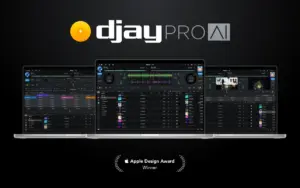
djay Pro is Algoriddim’s professional DJ application for macOS—an Apple Design Award–winning mixer built for live performance, practice, and set preparation. Version 5.6.5 is a May 2026 maintenance release on the 5.6 line; it adds controller support and fixes while the broader 5.6 generation brought Spotify across devices and expanded Pioneer/AlphaTheta hardware integration.

Mixing, media, and streaming

At its core, djay Pro offers multi-deck mixing, waveforms, EQ and filter controls, effects, looping, hot cues, and sync tools suited to both beginners and working DJs. You can connect Apple Music and Spotify (Spotify requires a Premium account per Algoriddim’s documentation) to browse large catalogs inside the app, alongside local files and library sources managed in the app.

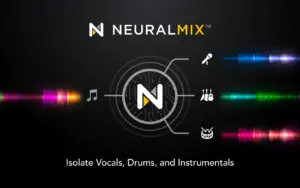
The optional djay PRO subscription unlocks advanced tools such as Neural Mix stem separation, Automix, expanded media management, deeper hardware mappings, and a large pack library. Algoriddim notes that Neural Mix and recording have limitations when using streamed tracks from Apple Music or Spotify—check the current feature matrix before relying on stems with streaming sources.

OneLibrary and USB workflows

Since the 5.5 generation, djay Pro supports OneLibrary—a unified USB library format developed with AlphaTheta—so playlists, cue points, loops, and beat grids can move between Mac, mobile djay installs, and supported club gear (CDJ-3000 family, XDJ-AZ, Opus Quad, Omnis Duo, and others per release notes). That matters if you prepare sets on a laptop and play from USB on hardware.

Hardware and performance features

djay Pro is known for plug-and-play integration with a wide range of DJ controllers and mixers. The 5.6 release added Spotify on all platforms, screen support for units such as the DJM-S11, DDJ-REV7, DDJ-1000, and Omnis Duo, and native support for gear including the AlphaTheta XDJ-AZ and Pioneer DJ Opus Quad. MIDI mapping, DVS workflows, and Pro DJ Link–related CDJ fixes appear regularly in release notes.

On Mac, PRO features also include four-deck mode and video mixing (per Algoriddim’s platform list). Performance scales with your machine: official requirements list macOS 10.15 or later and about 500 MB for installation, with more RAM and CPU headroom recommended for heavy stem use or video.

Version 5.6.5 and licensing

Build 5.6.5 (25 May 2026) focuses on new Hercules controller support, WAV artwork reading, OneLibrary color fixes, and CDJ/DDJ-FLX10 corrections—see What’s New for detail. The app is free to download from the Mac App Store with optional PRO subscription and a documented 7-day trial; PRO syncs across Mac, iOS, Windows, and Android when signed into a djay account.
Pros & Cons Show details

✅ PROS

  • Native Mac DJ software with a mature interface and long-standing hardware ecosystem, which reduces friction when pairing laptops with Pioneer, AlphaTheta, Rane, Reloop, and other supported controllers.
  • Apple Music and Spotify integration let you browse large catalogs in-app instead of rebuilding every playlist from local files alone, subject to each service’s terms and subscription requirements.
  • Neural Mix and related PRO tools provide stem-style separation and advanced performance options that go beyond basic two-deck mixing, useful for creative transitions and practice.
  • OneLibrary USB export aligns Mac preparation with compatible CDJ/XDJ hardware, which is valuable for DJs who split time between home prep and booth playback.
  • Regular, detailed release notes and controller-specific fixes suggest active maintenance for club-standard gear and MIDI edge cases.
  • Cross-platform PRO subscription means a single account can cover Mac, iPad, iPhone, Windows, and Android installs for travel or backup setups.

❌ CONS

  • Advanced features—including Neural Mix, Automix, full media management, and many hardware integrations—sit behind a PRO subscription, so the free tier is not equivalent to the full product.
  • Streaming integrations come with restrictions: recording and Neural Mix on streamed Apple Music or Spotify tracks are limited per Algoriddim’s documentation, which can surprise DJs expecting full stem workflows on cloud libraries.
  • Spotify DJ access requires Spotify Premium and remains subject to Spotify’s policies; service availability has changed industry-wide before and may affect long-term planning.
  • Heavy stem processing, four-deck use, and video mixing demand a capable Mac; minimum specs (macOS 10.15+, ~500 MB install) are a floor, not a guarantee of smooth live performance.
  • Hardware support breadth is a strength but also complexity: specific mixers, firmware versions, and Pro DJ Link setups may need reading release notes to avoid mismatched expectations.
  • Like many pro DJ apps, the learning curve for MIDI mapping, DVS, and library migration (OneLibrary vs legacy crates) is steeper than consumer music players.
✅ What's New in 5.6.5 Show details
  1. [Hercules DJControl Inpulse 200 MK3] — Native support was added for this controller, expanding plug-and-play options in the entry-level Hercules range without manual MIDI mapping.
  2. [WAV artwork] — The app can read embedded artwork from WAV files, which helps library browsing when your collection uses lossless files with cover art tags.
  3. [OneLibrary track colors] — Fixed cases where track color changes in OneLibrary were not applied, keeping USB library visuals consistent between djay and exported library workflows.
  4. [CDJ library display] — Corrected CDJ cases where artwork failed to load, folders appeared incorrectly, or BPM values were wrong—important for reliable browsing over Pro DJ Link setups.
  5. [DDJ-FLX10 Color FX] — Fixed Color FX activating when the knob was centered, restoring expected neutral behavior during live knob movements.
  6. [General stability] — Includes unspecified bug fixes and improvements bundled with the 5.6.5 release; see Algoriddim’s notes for earlier 5.6.4–5.6.2 changes if you are upgrading from older builds.

Older Versions

Version Publication date
Algoriddim djay Pro v5.6.5 Latest Current
Algoriddim djay Pro v5.6.4
Algoriddim djay Pro v5.6.3
Algoriddim djay Pro v5.6.2
Algoriddim djay Pro v5.6.1
Algoriddim djay Pro v5.6.0
Algoriddim djay Pro v5.5.2
Algoriddim djay Pro v5.5.1
Algoriddim djay Pro v5.5
Algoriddim djay Pro v5.4.4
Algoriddim djay Pro v5.4.3
Algoriddim djay Pro v5.4.2
Algoriddim djay Pro v5.4.0
Algoriddim djay Pro v5.3.3
Algoriddim djay Pro v5.3.2
Algoriddim djay Pro v5.3.1
Algoriddim djay Pro v5.3.0
Algoriddim djay Pro v5.2.10
Algoriddim djay Pro v5.2.8
Algoriddim djay Pro v5.2.6
Algoriddim djay Pro v5.2.5
Algoriddim djay Pro v5.2.4
Algoriddim djay Pro v5.2.3
Algoriddim djay Pro v5.2.2
Algoriddim djay Pro v5.2.1
Algoriddim djay Pro v5.2.0
Algoriddim djay Pro v5.1.7
Algoriddim djay Pro v5.1.6
Algoriddim djay Pro v5.1.5
Algoriddim djay Pro v5.1.3
Algoriddim djay Pro v5.1.2
Algoriddim djay Pro v5.1.1
Algoriddim djay Pro v5.1.0
Algoriddim djay Pro v5.0.4
Algoriddim djay Pro v5.0.3
Algoriddim djay Pro v5.0.2
Algoriddim djay Pro v5.0.0

Installation & Troubleshooting FAQ

8 questions

Common issues when installing macOS apps

Alternatives

3 Comments

Join the Conversation

Your email address will not be published. Required fields are marked *