

Ableton Live 12 Suite v12.4 for Mac
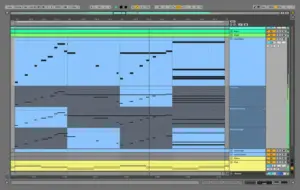
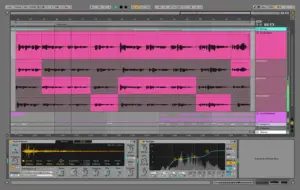
Ableton Live 12 Suite is Ableton’s full DAW for production, performance, and sound design—Session and Arrangement views, instruments, effects, Max for Live, and a large sound library for electronic and hybrid workflows.
Version 12.4 (May 2026) is a free update for Live 12 owners, headlined by Link Audio, flexible stem separation, device refreshes, and the new Learn View.
What’s new in v12.4
Link Audio:
- Stream audio in real time between Ableton Link peers on a LAN—send/receive track audio without extra cables
- New Link settings page: peer list, latency control, sync to incoming audio, wired LAN recommended
Devices:
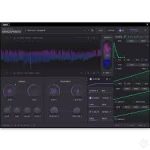
- Erosion — Noise Blend, Stereo Width, lower latency (~2 ms); old sets load Erosion Legacy
- Chorus-Ensemble — refined Chorus mode with Time and Taps parameters
- Delay — expanded LFO rates (Hz, ms, beats), seven waveforms, Morph shaping
Stems & workflow:
- Separate Stems for Time Selection in Arrangement; faster processing on audible clip regions only
- Merge to Single Track when combining selected stems (e.g. instrumental bounce)
- Learn View — video + text lessons in-app (replaces Help View)
- Quick Tags: create tags and groups from the browser panel
- Max for Live updated to Max 9.1.4 with new parameter visibility modes
Suite highlights (Live 12)
- Full instrument and effect suite; comping; MIDI tools; Roar, Meld, Granulator III, and more
- Stem separation, tuning, probability, and expressive MIDI features from the Live 12 line
- Native Apple Silicon (macOS Universal build); Push, Note, and Move ecosystem integration
Requirements & licensing
- Version: 12.4 (Suite edition)
- Platform: macOS (Universal: Apple Silicon native)
- macOS: 11.7 Big Sur through 15 Sequoia (per Ableton compatibility)
- RAM: 8 GB minimum; 16 GB+ recommended
- Storage: ~10 GB base install; up to ~76 GB optional sound content
- License: Ableton account; Suite is a paid edition; 12.4 is a free update for licensed Live 12 users
Official: Release notes · Ableton Live
Open the downloaded image and follow the standard installation procedure.
After copying, launch the program and drag the “Authorize.auz” file into the program window. Activation will be complete.
Autosave for Ableton Live on macOS…
AbletonAutoSave – Automatically saves your project at a specified interval. Starts and stops with Ableton. Control via the menu bar.
Features:
– Autostart with Ableton
– Settings in the menu bar
– Autosave by timer
– Auto-stop


how do I download this?
The authorization key doesn’t work. When i first opened live it worked. The second time asked me to authorize again, i used the same .auz and showed. Some products may not be authorized due to an internal error.
A mi me ha pasado lo mismo y no encuentro solución.
SOLVED Sorry for the mess there was a download fail on my side, after re-download all works perfectly fine, good work, thanks
DMG can not mount, please check and may be re-upload
Open the downloaded image and follow the standard installation procedure.
After copying, launch the program and drag the “Authorize.auz” file into the program window. Activation will be complete.
Autosave for Ableton Live on macOS…
AbletonAutoSave – Automatically saves your project at a specified interval. Starts and stops with Ableton. Control via the menu bar.
Features:
– Autostart with Ableton
– Settings in the menu bar
– Autosave by timer
– Auto-stop
Download autostart
This is the complicated version, HCiSO is the one, simple and 100% efective, Thanks any way
Where can i get that one?
Auz file expired again. Cannot open now and generating a new one doesn’t work. Internal error. Exactly same issue as last version
Will get it to work, then when will randomly ask me to verify again and kick me out. Auz file then throws an “internal error”