

Moom v4.5 for Mac
Moom by Many Tricks is a veteran macOS window manager: move, zoom, and tile windows from the title bar, keyboard, screen edges, or a visual grid—without fighting manual pixel alignment every time you dock a laptop or plug in a monitor.
Version 4.5 extends saved layouts with options that fit modern macOS multitasking, especially when Stage Manager is in play.
What’s new in Moom 4.5
Per the developer’s release post:
- Stage Manager awareness: Moom can leave room for Stage Manager when it is visible (configurable in preferences).
- Hide unrelated apps on layout restore: when applying a saved layout, you can optionally hide applications that are not part of that layout—a per-layout switch so some workspaces stay focused and others stay permissive.
- Plus routine bug fixes and under-the-hood improvements (see full notes on the vendor site).
Core workflow (why people buy Moom)
Palette: a customizable pop-up of resize/move actions—often triggered from a title-bar control.
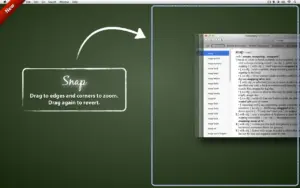
Hover / drag snapping: resize via modifiers or drag to snap zones for predictable geometry.
Keyboard control: drive window placement from shortcuts and on-screen overlays when you prefer not to touch the mouse.
Saved layouts: capture and restore whole desktop arrangements for recurring projects (development, editing, trading stacks).
Chaining: combine multiple window operations into one action for repetitive setups.
Pricing & compatibility
- Typical pricing (vendor site): about $15 new / $8 upgrade—confirm at checkout.
- Updates: purchase includes at least one year of updates; license remains valid; paid upgrades are optional later (see upgrade policy ).
- macOS: High Sierra 10.13 or newer (per current product notes—verify for your build).
Official: manytricks.com/moom · Release notes






Run the downloaded image and drag the application to the Applications folder shortcut.
After copying is complete, you can launch the application from Launchpad.
To activate the application, double-click the moomlicense file.
Architecture
ARM, x86 (64-bit)