

NetWorker Pro v11.0.11 [MAS] for Mac
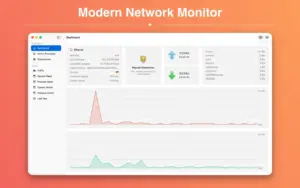
NetWorker Pro is a lightweight network monitoring utility for macOS that surfaces upload/download activity, traffic totals, and connection insights—mostly from the menu bar, with a fuller detail window when you need depth.
The [MAS] label means this build is distributed through the Mac App Store, with Apple’s usual sandboxing and update flow.
What NetWorker Pro helps you see
Live throughput: watch current upload and download speeds without opening Activity Monitor or digging through Terminal.
Usage over time: track consumption by day, week, month, and totals—useful on capped connections or when billing depends on usage patterns.
Public IP awareness: show external IP context (often paired with country-style hints) so you quickly notice VPN/proxy or ISP changes.
Connections overview: inspect active TCP/UDP endpoints when troubleshooting “something is chatty” issues.
Per-application usage: identify which apps dominate bandwidth when sync tools, browsers, or backups spike unexpectedly.
Adapter coverage: works across typical Mac setups including Wi‑Fi and Ethernet.
Customization & daily use
Menu bar density: choose what information stays visible so the bar stays readable on compact laptop screens.
Units: switch presentation styles such as bits vs bytes-style reporting (depending on build/settings).
Startup behavior: optional auto-launch so monitoring begins immediately after login.
Appearance: aligns with modern macOS conventions including dark-mode-friendly presentation.
Version & distribution
- Version: 11.0.11
- Channel: Mac App Store (MAS)
- Developer: Sascha Simon
For exact build notes for v11.0.11, open the App Store listing’s version history after installation.





Architecture
ARM, x86 (64-bit)
Mount the image and launch Open Gatekeeper Friendly.
Press Enter to bypass Gatekeeper in the Terminal window.
Drag the application to the Applications folder.
The application is ready to use.