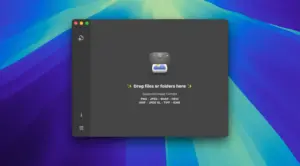
Zipic v1.9.5 for Mac
Zipic is a native macOS app for compressing and optimizing images locally—JPEG, PNG, WebP, HEIC, AVIF, GIF, PDF, and many other formats—so websites, apps, and cloud folders use less space without a noticeable quality drop.
Processing stays on your Mac (no upload pipeline required for core workflows), which makes it a practical choice for designers, developers, and creators who batch-export assets every day.
What’s new in v1.9.5
According to the official release notes (May 8, 2026), Zipic v1.9.5 adds:
- 7-day Pro trial unlockable in one click
- A new
zipiccommand-line tool for Terminal, scripts, and automation-friendly workflows - Fixes for original file timestamps
- Color fixes for iPhone HDR images when converting to AVIF
- Startup reliability improvements for monitored iCloud folders
Full details: Zipic v1.9.5 release notes.
Why Zipic is useful
Batch compression: shrink photo sets and UI assets before upload or commit.
Broad format coverage: modern stacks like AVIF/WebP/HEIC sit alongside classic JPEG/PNG/TIFF workflows.
Workflow hooks: folder monitoring, shortcuts/automation angles, and now CLI access for power users.
Quality controls: presets and engines tuned for strong size reduction while preserving perceived sharpness and color fidelity (features vary by format and settings).
Official links
- Product: zipic.app
- Documentation: docs.zipic.app
- All release notes: zipic.app/releasenotes