
OmniPlayer: MKV Video Player 2.1.22 for Mac

OmniPlayer MKV Video Player
Name:OmniPlayerStore 2.1.22 MAS [TNT].dmg.torrent (78.76MB)
Hash:61e668e8e63d9171c30ba54218c1fe7684f8e8df
Review by:
Downloads 223
Rating
4.4 19 Click to rate
Checked
   Download Torrent Download Now

A Mac media player built around MKV and more

OmniPlayer is a macOS video and audio player from Oka Apps that opens local files, network shares, and streaming URLs when QuickTime or Preview fall short on formats like MKV, FLAC, or WebM.

Playback on your Mac

Hardware decoding helps play 4K, 1080p, and 720p video smoothly. Control speed from 0.25x to 4x, resume from the last position, scrub with preview thumbnails, and manage playlists with search and repeat modes.

  • Movie libraries: open MKV, AVI, MOV, MP4, M2TS, and WebM without converting first.
  • Home servers: stream from SAMBA or FTP shares on your network.
  • Living room: cast to TVs via DLNA, Chromecast, or Roku from the same app.

Audio, subtitles, and capture

Switch audio tracks, delay audio for sync, and use equalizer presets or custom settings. Load SRT, ASS, SSA, or IDX subtitles locally or search online, with encoding fixes for garbled text. Take screenshots, export thumbnails, or create GIF clips up to 60 seconds.

OmniPlayer 2.1.22

Version 2.1.22 requires macOS 11.0 or later and is a free download with optional VIP upgrades for lifetime or subscription access. The Mac App Store notes general bug fixes in this build; version 2.1.21 previously addressed loading very large MKV files.
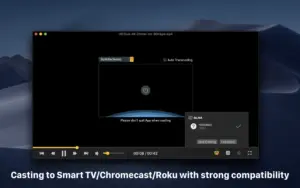
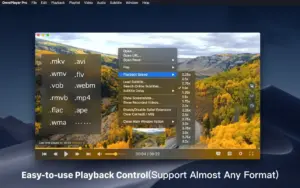
OmniPlayer 2.1.22 plays MKV and dozens of video OmniPlayer 2.1.22 for Mac — MKV Video Player

Pros & Cons Show details

✅ PROS

  • Broad format support—including MKV, AVI, WebM, FLAC, and lossless audio—covers files macOS does not play natively without conversion.
  • Hardware decoding and speed control from 0.25x to 4x suit HD and 4K local playback as well as study or review workflows.
  • Subtitle tools with online search, encoding fixes, and real-time styling help international video libraries stay readable.
  • DLNA, Chromecast, and Roku casting let you send playback to a TV without extra wiring for many home setups.
  • SAMBA/FTP, HTTP streams, and YouTube or Vimeo URL playback extend OmniPlayer beyond double-clicking local files.
  • Version 2.1.22 continues stability fixes after 2.1.21’s work on very large MKV loading issues.

❌ CONS

  • Full feature access may require VIP in-app purchases (lifetime or subscription), and the free tier may show ads or limits per Oka Apps pricing.
  • Version 2.1.22’s official What’s New only mentions unspecified bug fixes, with no detailed public changelog.
  • The app collects usage and diagnostic data according to App Store privacy labels, unlike fully offline players with no telemetry.
  • YouTube and Vimeo URL playback depends on third-party site changes and may break without an app update.
  • OmniPlayer is Mac App Store only; there is no documented standalone download with separate release notes on the developer site.
  • Very large MKV files and exotic codecs can still stress playback even after recent large-file fixes in the 2.1.x line.
✅ What's New in 2.1.22 Show details
  1. Bug fixes — Version 2.1.22 addresses unspecified bugs according to the Mac App Store What’s New text.
  2. Stability maintenance — This release follows 2.1.21, which fixed loading issues with very large (~30 GB) MKV files documented in the prior build.
  3. Playback reliability — The 2.1.22 update continues the 2.1.x focus on MKV and general media playback stability rather than new formats.
  4. macOS 11+ support — OmniPlayer 2.1.22 requires macOS 11.0 or later on Intel and Apple Silicon Macs.
  5. Focused patch release — Official notes do not list new casting, subtitle, or format features in version 2.1.22.

Older Versions

Installation & Troubleshooting FAQ

8 questions

Common issues when installing macOS apps

Alternatives

Join the Conversation

Your email address will not be published. Required fields are marked *