
Unite Pro 1.5 for Mac

Unite Pro
Name:Unite Pro 1.5 [EDiSO].dmg.torrent (29.06MB)
Hash:b42a3161dae413245e3849f053ebf55f752d1958
Review by:
Downloads 142
Rating
4.5 32 Click to rate
Checked
   Download Torrent Download Now

Websites as native Mac apps

Unite Pro from BZG Apps converts any URL into a standalone macOS app with its own Dock icon, isolated session, and layout modes tuned for daily tools like email, chat, and AI services.

Three ways to run each app

Create an app by pasting a URL or typing a name; Unite Pro suggests icon, title, and defaults automatically. Run it as a normal window, a persistent sidebar panel, or a lightweight menu bar utility depending on how often you check that site.

  • Knowledge workers: keep Gmail, Notion, Linear, or ChatGPT out of crowded browser tabs.
  • Multi-account users: separate logins per app with isolated WebKit sessions.
  • Tinkerers: hide page clutter, force dark mode, add per-URL scripts and styles, and route links to other apps.

macOS integration beyond Safari web apps

Unite Pro adds Dock badges, meeting alerts for Google Calendar and Outlook, media key support, smart link forwarding for SSO flows, and enhancements for select services. Website controls let you strip sticky headers, adjust typography, and set per-site zoom without maintaining a separate browser profile.

Unite Pro 1.5 on your Mac

Version 1.5 requires macOS 15 or later and is optimized for macOS 26 Tahoe on Intel and Apple Silicon. Your first created app is free to use; full Unite Pro sells as a one-time license with free 1.x updates, with Setapp as an alternative subscription path.
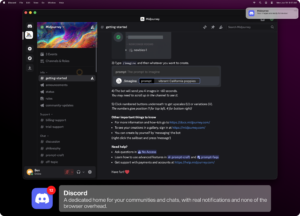

Unite Pro 1.5 for Mac — Website to App Tool

Pros & Cons Show details

✅ PROS

  • Turning a website into a dedicated Mac app reduces tab clutter and keeps frequently used tools one click or shortcut away.
  • Normal, Sidebar, and Menu Bar modes let each site match how you actually use it instead of forcing one browser layout.
  • Per-app customization—including element hiding, scripts, styles, zoom, and user agents—goes deeper than basic Safari web apps.
  • Smart Enhancements add Dock badges, meeting notifications, and link routing that help SSO and multi-app workflows behave more natively on Mac.
  • Unite Pro uses native WebKit rather than Electron wrappers, which keeps created apps lighter than many cross-platform alternatives.
  • Version 1.5 improves background media keys, fullscreen video on YouTube and Netflix, and external app link handling for tools like Obsidian and Things.

❌ CONS

  • Unite Pro requires macOS 15 or later and targets macOS 26 features, so users on older Macs cannot run the current Pro line.
  • One-time licensing starts at a higher price than simple free site-specific browsers, and major-version upgrades may require a paid upgrade later.
  • Web apps inside Unite still depend on each site’s web interface, so broken site changes or anti-bot checks can affect reliability despite frequent BZG updates.
  • Some advanced sites may need user scripts or user-agent tweaks before they behave as well as in a full browser.
  • Setapp and direct licenses differ in distribution, which can matter if you rely on a specific activation or update channel.
  • Version 1.5 is largely a compatibility and reliability update rather than a release with major new creation features.
  • 4) WHAT'S NEW
✅ What's New in 1.5 Show details
  1. Background media keys — Media controls now keep working on more sites even when the Unite app window is hidden or running in the background.
  2. Fullscreen video fix — Fixed fullscreen playback issues in YouTube playlists and Netflix inside Unite-created apps.
  3. External app links — Improved support for custom URL schemes such as Obsidian, Things, and remote-control utilities with clearer confirmation prompts.
  4. NotebookLM compatibility — Fixed an issue where NotebookLM modules failed to load correctly inside Unite apps.
  5. Anti-bot and user agents — Improved behavior on sites with anti-bot checks and updated built-in user agents, with fixes for presets resetting after Safari or macOS updates.
  6. WebView cleanup — Stronger WebView teardown and native reload behavior improves memory use and reliability during reloads, mode changes, and app updates.
  7. Keyboard and window fixes — Resolved Cmd+Arrow conflicts in web text fields, sidebar Dock new-window issues, and Dock menu window title updates in version 1.5.

Older Versions

Version Publication date
Unite Pro v1.5 Latest Current
Unite Pro v1.4
Unite Pro v1.2
Unite Pro v1.0.2

Installation & Troubleshooting FAQ

8 questions

Common issues when installing macOS apps

Alternatives

Join the Conversation

Your email address will not be published. Required fields are marked *