
Permute 4.0.3 for Mac

Permute
Name:Permute 4.0.3 ARM [EDiSO].dmg.torrent (51.08MB)
Hash:847125cb12b3a2e02c45f2e3040d91a89c870cce
Review by:
Downloads 155
Rating
4.7 30 Click to rate
Checked
   Download Torrent Download Now

What Permute does on Mac

Permute is a native macOS media converter that turns video, audio, images, PDFs, and text files between formats, with trimming, cropping, metadata editing, and batch queues in one app.

Developed by Charlie Monroe Software, Permute 4 is a full redesign of the long-running utility. You drag files into a queue, apply presets for MP4, HEVC, ProRes, MP3, FLAC, HEIC, WebP, and dozens of other outputs, then convert individually or in groups. Beyond simple format changes, Permute supports subtitle burning, track reordering, HLS manifests, PDF-to-image workflows, drop zones, and an Advanced Custom preset that exposes raw FFmpeg commands.

Typical Mac workflow

Most users drop a folder of clips or photos, pick a preset such as HEVC or High Quality MP4, and start the batch. For editing passes you trim audio with a waveform view, crop video with pixel rulers, stitch files, or split by CUE, EDL, or JSON chapters. Professionals may set file-size limits, enable hardware-accelerated ProRes, export individual tracks, or route recurring jobs through saved drop zones.

Version 4.0.3

Released June 11, 2026, build 4.0.3 adds practical workflow polish. Audio and video presets can generate a cover image from video input, the preset dialog can import .permutePresets files, failed conversions from corrupted tracks now offer a retry after disabling the bad track, and quitting during active jobs triggers a confirmation prompt. Apple TV presets no longer enable QuickTime metadata by default because it can break TV app compatibility.

Licensing and requirements

Permute 4 requires macOS 26 or later and an Apple Silicon Mac; Intel users should stay on Permute 3. A permanent license is about $14.99 from the developer with a free trial, or access via Setapp. Permute 4 is distributed directly from Charlie Monroe; the Mac App Store build of Permute 3 has sandbox limitations and v4 was not on the App Store at launch.
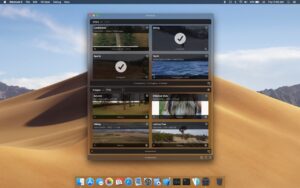
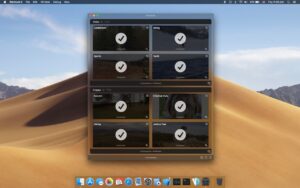
Permute 4.0.3 converts video, audio, images Permute 4.0.3 for Mac — Media Converter

Pros & Cons Show details

✅ PROS

  • Permute 4 handles video, audio, images, PDFs, and text in one native Mac queue instead of separate single-purpose converters.
  • Version 4 adds reworked trim and crop tools, drop zones, hardware-accelerated ProRes, and deeper track and metadata control for professional workflows.
  • Presets cover common targets such as MP4, HEVC, ProRes, and HEIC, with preview generation and automatic Small File or High Quality starter options.
  • A permanent license near $14.99 avoids subscriptions, and Permute 3 buyers from 2026 may qualify for a free or discounted upgrade path.
  • Version 4.0.3 improves reliability with corrupted-track retry prompts, preset import, and safer quit behavior during active conversions.

❌ CONS

  • Permute 4 requires Apple Silicon and macOS 26, so Intel Macs and macOS 11–15 users must remain on Permute 3 without future updates.
  • Permute 4 needs a new license; App Store Permute 3 purchases require a separate upgrade tool and cannot migrate discounts through Apple’s store rules.
  • Version 4.0.3 is a refinement release, not a major feature drop beyond cover images, preset import, and workflow safeguards.
  • Advanced FFmpeg power is available, but beginners may still find codec, CRF, and track options overwhelming compared with drag-and-drop online tools.
  • Permute 4 was not available on the Mac App Store at launch, so buyers must use the developer download rather than Apple’s unified update channel.
✅ What's New in 4.0.3 Show details
  1. [Cover image generation] — Audio and video presets now include an option to generate a cover image when the source file is video.
  2. [Preset import] — The add-preset dialog can import a .permutePresets file for sharing or restoring custom preset libraries.
  3. [Corrupted track recovery] — If a conversion fails because of a corrupted track, Permute detects it and offers to disable that track and retry.
  4. [Quit confirmation] — Quitting while conversions are still running now shows a confirmation dialog to prevent accidental job cancellation.
  5. [Apple TV metadata default] — Apple TV presets disable QuickTime metadata by default on first launch of 4.0.3 because geo and similar tags can make files incompatible with the TV app.
  6. [Preset reset fix] — Fixed an issue where some presets did not fully reset all settings when you chose reset.

Older Versions

Version Publication date
Permute v4.0.3 Latest Current
Permute v4.0.1
Permute v3.14.4
Permute v3.14.3
Permute v3.14.2
Permute v3.14.1
Permute v3.14.0
Permute v3.13.6
Permute 3.13.5 (2859) v3.13.5.2859
Permute v3.13.5
Permute v3.13.4
Permute v3.13.3
Permute v3.13.2
Permute v3.13.1
Permute v3.13.0
Permute v3.12.6
Permute v3.12.4
Permute v3.12.3
Permute v3.12.2
Permute v3.12.1
Permute v3.12.0
Permute v3.11.19
Permute v3.11.17
Permute v3.11.16
Permute v3.11.13
Permute v3.11.12
Permute v3.11.11
Permute v3.11.10
Permute v3.11.9
Permute v3.11.8
Permute 3.11.7 (2744) v3.11.7.2744
Permute 3.11.7 (2743) v3.11.7.2743
Permute v3.11.6
Permute v3.11.5
Permute v3.11.4
Permute v3.11.3
Permute v3.11.2
Permute v3.11.1
Permute v3.10.9
Permute v3.10.8
Permute v3.10.7
Permute v3.10.4
Permute v3.10.2
Permute v3.10.1
Permute v3.10.0
Permute v3.9.15
Permute v3.9.11
Permute v3.9.10
Permute v3.9.9
Permute v3.9.8
Permute v3.9.7
Permute v3.9.6
Permute v3.9.5
Permute v3.9.2
Permute v3.9.1
Permute v3.9
Permute v3.8.9
Permute v3.8.8
Permute v3.8.7
Permute 3.8.6 (2576) v3.8.6.2576
Permute 3.8.5 (2572) v3.8.5.2572
Permute v3.8.3
Permute v3.8.2
Permute v3.8.1
Permute v3.8
Permute v3.7.7
Permute v3.7.6
Permute v3.7.5
Permute v3.7.4
Permute v3.7.3
Permute v3.7.1
Permute v3.7
Permute v3.6.9
Permute v3.6.8
Permute v3.6.7
Permute v3.6.6
Permute v3.6.5
Permute v3.6.4
Permute v3.6.3
Permute v3.6.2
Permute v3.6.1
Permute v3.6
Permute v3.5.16
Permute v3.5.15
Permute v3.5.14
Permute v3.5.13
Permute v3.5.12
Permute v3.5.11
Permute v3.5.10
Permute v3.5.9
Permute v3.5.8
Permute v3.5.7
Permute v3.5.6
Permute v3.5.5
Permute v3.5.4
Permute v3.5.3
Permute v3.5.2
Permute 3.5.1 (2287) v3.5.1.2287
Permute v3.5.1
Permute v3.5
Permute v3.4.13
Permute v3.4.12
Permute v3.4.11
Permute v3.4.10
Permute v3.4.4
Permute v3.4.1
Permute v3.4
Permute v3.2.7
Permute v3.1.5
Permute v3.1.3
Permute v2.3
Permute v2.2.8

Installation & Troubleshooting FAQ

8 questions

Common issues when installing macOS apps

Alternatives

Important

Run the downloaded image and drag the application to the Applications folder shortcut.

Once the copy is complete, you can launch the application from Launchpad.

Compatibility
macOS 10.14.6 and later

Architecture
ARM

Join the Conversation

Your email address will not be published. Required fields are marked *