

UPDF 2.5.3 for Mac — AI-Powered PDF Editor
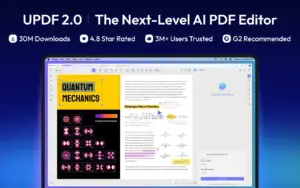
UPDF is a cross-platform PDF editor for Mac that combines Word-like editing, annotation, conversion, page management, forms, and e-signatures with an integrated AI assistant and autonomous AI agents for search, summarization, and document automation.
How Mac users work with it
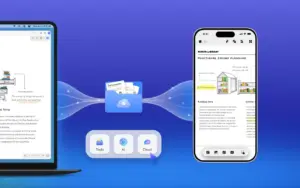
You open PDFs from Finder or the built-in file manager, edit text and images inline, highlight and comment for review, reorder or split pages, and export to Word, Excel, PowerPoint, images, or archival formats. UPDF 2.5 added ten specialized AI agents—semantic search, auto-bookmarking, page organization, watermark and sticker generation, and more—so repetitive document tasks can run inside the app instead of in separate tools. AI chat, translation, and mind-map views sit beside core PDF tools on desktop and sync with mobile and web when you use UPDF Cloud.
Mac App Store vs direct download
The Mac App Store build supports macOS 11.0 or later per UPDF’s version history page. OCR is not offered in the App Store listing; the vendor directs OCR users to download from updf.com instead. Offline PDF editing is available, while AI features rely on cloud processing (GPT-5 and DeepSeek models on US servers, per vendor documentation). UPDF Pro unlocks full editing and conversion; AI Assistant is a separate subscription for unlimited agent access beyond the free tier’s limited file and question quotas.
Version 2.5.3
Released 23 May 2026 on the Mac App Store, build 2.5.3 is a focused maintenance update: toolbar hide and auto-show for a cleaner workspace, optimized PDF compression, and a fix for display problems on permission-protected documents. It sits on the UPDF 2.5 product line that introduced the agent-based document ecosystem earlier in 2026.





Run the downloaded image and drag the app to the Applications folder shortcut.
Once the copy is complete, you can launch the app from Launchpad.
Compatibility
macOS 11 and later
Architecture
ARM, x86 (64-bit)
Note
AI features are not supported
Good day
I am looking for Express accounts’ latest vision
Can you assist
Kind regards