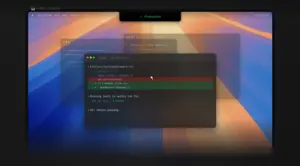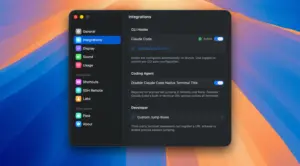
Vibe Island is a native macOS utility that turns the MacBook notch (or a top-center bar on external displays) into a control panel for AI coding CLI sessions running in your terminals and IDEs.
What it does on Mac
While Claude Code, Codex, Gemini CLI, Cursor, and other supported agents work in the background, Vibe Island shows live session cards in one overlay: status, elapsed time, and which terminal hosts each job. When an agent needs permission, asks a question, or submits a plan, the panel expands so you can Allow/Deny, pick an answer, or review Markdown plans without Alt-Tabbing. Click a session to jump to the exact terminal tab, split pane, tmux session, or VS Code/Cursor integrated terminal. Communication stays local via Unix sockets on your Mac; the developer states session content and metadata do not leave the machine.
Who it fits
Vibe Island targets developers who run multiple AI agents in parallel across iTerm2, Ghostty, Warp, WezTerm, Kitty, Terminal.app, Zellij, and IDE terminals. First launch auto-configures hooks for 16 agent types. The app is Swift-native (not Electron), typically under 50 MB RAM idle, and runs as a non-activating overlay. Licensing is a one-time purchase (from about $19.99 for one Mac on the site) with a two-day full trial; Homebrew install via brew install --cask vibe-island is supported. Requires macOS 14 or later on Intel or Apple Silicon.
Version 1.0.37
Release 1.0.37 shipped June 3, 2026, as a reliability and navigation update. Official notes highlight better click-to-jump for Warp, VS Code, Cursor, and multi-session tmux; sturdier SSH Remote deployment and Codex handling; custom Codex config paths; non-QWERTY shortcut support; and fixes for missed background alerts, panel flicker, stuck approval cards, idle audio routing, and update-check UI.