
Folx Pro 5.34 for Mac

Folx GO+
Name:Folx Pro 5.34 [EDiSO].dmg.torrent (30.1MB)
Review by:
Downloads 399
Rating
4.4 25 Click to rate
Checked
   Download Torrent Download Now    Download Link

MindNode 2026.3 for Mac

MindNode is a native Apple mind-mapping and outlining app from IdeasOnCanvas. Version 2026.3 (May 2026) focuses on library organization, quicker access to frequent maps, cross-device document history, and a writing workflow bridge to Marked on Mac.

Think, structure, act

Build mind maps on an infinite canvas or switch to outline view for linear drafting. Add notes, tasks, visual tags, connections between nodes, images, and stickers. Export to PDF, OPML, Markdown, and more; import from FreeMind, Xmind, and other formats. Live collaboration, Focus mode, and on-device Apple Intelligence features (brainstorming, summaries) are part of the broader MindNode platform.

  • Sync documents via encrypted iCloud across Mac, iPhone, iPad, Apple Watch, and Vision Pro
  • Free Editor for core capture, editing, folding, and import/export without a subscription
  • MindNode Plus unlocks outlining, notes, themes, stickers, and advanced styling (about $2.99/month or $24.99/year)
  • Also available on Setapp

What 2026.3 adds on Mac

Nested folders let you group projects inside clients, years, or any hierarchy you use. Desktop widgets open your most-used maps in one click. Marked app integration previews MindNode content as rich formatted text for writers moving from brainstorm to draft. Document History, introduced on Mac in 2026.2, is now on iPhone, iPad, and Vision Pro as well; Outline view also reaches Vision Pro in this release.

The Free Editor gains more styling and layout controls, a starter set of 12 stickers, and an Important tag. Requires macOS 15.0 or later for MindNode Next on current App Store listings. Patch 2026.3.1 (29 May 2026) improves Setapp support for the Marked integration.
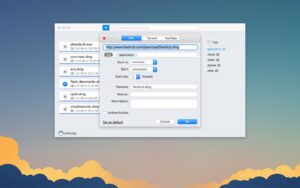
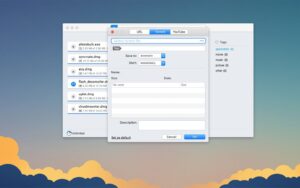
Pros & Cons Show details

✅ PROS

  • Dual mind map and outline views suit both visual brainstormers and structured planners in one app.
  • Nested folders and widgets address long-standing library-scale and quick-access needs.
  • Strong Apple ecosystem fit: native Liquid Glass UI, Vision Pro support, iCloud privacy, and on-device AI where available.
  • Generous free tier with sync and import/export reduces lock-in before subscribing to Plus.
  • Document History and document linking (2026.2+) add safety and a knowledge-network feel for serious users.

❌ CONS

  • Full feature set requires MindNode Plus subscription—no one-time purchase for the new app line.
  • Marked integration is macOS-only and needs the separate Marked app.
  • Document History on mobile/Vision may still differ from collaboration documents per earlier release notes—check current support for shared maps.
  • macOS 15+ requirement on MindNode Next excludes older Macs still on earlier OS versions.
  • Heavier feature set than minimal outliners; new users may need time to learn map vs outline vs Plus boundaries.
✅ What's New in 5.34 Show details
  1. [Nested folders] — Folders can contain other folders for deeper project and archive organization.
  2. [Widgets] — Pin favorite maps to the Mac Desktop (also Home Screen on iOS and walls on Vision Pro) for one-tap access.
  3. [Marked app integration] — On Mac, preview MindNode documents as rendered rich text in Marked for a smoother path to polished writing.
  4. [Document History on more platforms] — Browse and restore earlier map versions on iPhone, iPad, and Vision Pro (Mac gained this in 2026.2).
  5. [Outline on Vision Pro] — Switch between mind map and outline in spatial workspaces.
  6. [Free Editor expansion] — More styling and layout options, 12 free stickers, and an Important tag for free users.
  7. [2026.3.1] — Improved support for the Setapp build of Marked (29 May 2026).

Older Versions

Version Publication date
Folx Pro v5.34 Latest Current
Folx Pro v5.33
Folx Pro v5.32
Folx Pro v5.30
Folx Pro v5.29
Folx Pro v5.28
Folx Pro v5.27
Folx Pro 5.26 (13983) v5.26.13983
Folx Pro 5.25 (13974) v5.25.13974
Folx Pro 5.24 (13966) v5.24.13966
Folx Pro 5.23 (13963) v5.23.13963
Folx Pro 5.22 (13962) v5.22.13962
Folx Pro 5.21 (13951) v5.21.13951
Folx PRO v5.20.13946
Folx PRO v5.19.13945
Folx Pro 5.12 (13890) v5.12.13890
Folx Pro v5.10.13853
Folx Pro 5.7 (13779) v5.7.13779
Folx Pro v5.1.13668

Installation & Troubleshooting FAQ

8 questions

Common issues when installing macOS apps

Alternatives

Join the Conversation

Your email address will not be published. Required fields are marked *