

Path Finder 11.2 for Mac
Path Finder is an advanced file manager for macOS designed for power users who need more control than Finder offers. It adds dual-pane navigation, batch operations, deep file tools, and workflow automation in a single workspace.
If you work with large folder structures, development assets, media libraries, or repetitive file tasks, Path Finder helps you move faster and stay organized.
Why users choose Path Finder
Dual-pane file management: browse and move files between two locations quickly, ideal for copy/sync workflows.
More control than Finder: access hidden files, advanced file info, folder comparison, and power actions from one interface.
Batch and automation tools: handle mass renaming, file operations, and repetitive maintenance with fewer manual steps.
Integrated utilities: tabs, bookmarks, quick preview, and terminal-friendly workflows support technical and creative users alike.
Version details
- App: Path Finder
- Version: 11.2
- Platform: macOS
For exact feature updates and compatibility, check the official Path Finder site and release notes.
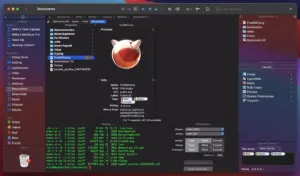





Mount the image and launch Open Gatekeeper Friendly.
Press Enter to bypass Gatekeeper in the Terminal window.
Drag the application to the Applications folder.