AltTab Pro 11.1.0 for Mac

AltTab
Name:AltTab Pro 11.1.0 [EDiSO].dmg.torrent (9.47MB)
Review by:
Downloads 346
Rating
4.8 33 Click to rate
Checked
   Download Torrent Download Now    Download Link

AltTab Pro 11.1.0 for Mac

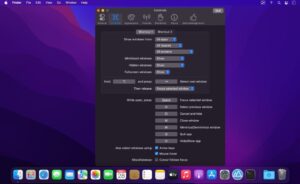
AltTab brings a Windows-style window switcher to macOS: hold a shortcut, see live previews of open windows, and jump to the one you need. The app is free and open source at its core; AltTab Pro is a paid tier that unlocks search, extra layouts, auto-sizing thumbnails, and multiple custom shortcuts.

How it feels day to day

macOS Mission Control shows spaces and apps differently from the Alt+Tab grid many users know from Windows. AltTab overlays thumbnails (or icons or titles in Pro) while you keep the modifier key pressed, with optional live preview as you highlight each window. You can close or minimize windows from the switcher, use trackpad gestures, and run in dark mode so the UI matches your system theme.

  • Fast switching when many apps and windows are open at once
  • High-quality window thumbnails in the free tier
  • Works on Intel and Apple Silicon from macOS 10.13 High Sierra onward (per vendor site)
  • 14-day trial of Pro features for new installs

Free vs Pro

Everyone gets reliable window switching, thumbnails, dark mode, live preview, window controls, and trackpad gestures. Pro adds:

  • App Icons and Window Titles appearance styles (dock-like icons or compact text lists)
  • Instant search—type to filter by window title or app name
  • Auto Size—thumbnail grid scales with how many windows are open
  • Up to nine independent keyboard shortcuts with per-shortcut filters

Pro is a one-time purchase (about $9.99 on the official site). The project stays GPL-3.0 on GitHub, so advanced users can also build from source; licensing applies to the distributed Pro build after the trial.

Version 11.1.0

Released 25 May 2026: support for non-Latin keyboard layouts, better handling of hidden Electron app windows, improved browser tab detection, and fixes for rare crashes when assigning shortcuts, capturing thumbnails, or quitting. Build 11.1.0 is the current stable line on the official GitHub releases page.

Pros & Cons Show details

✅ PROS

  • Windows-style Alt+Tab with live thumbnails solves a common pain point for switchers from Windows and for heavy multitaskers on Mac.
  • The free tier is genuinely capable—core switching, previews, gestures, and dark mode do not require Pro for basic daily use.
  • Pro search and multiple shortcuts save time when dozens of windows are open across monitors and Spaces.
  • Native Apple Silicon support and broad macOS version coverage (10.13+) suit both older and current Macs.
  • Open development on GitHub and a one-time Pro price avoid subscription fatigue common among window utilities.

❌ CONS

  • Pro features (search, extra styles, nine shortcuts) require purchase after a 14-day trial; the free tier is thumbnail-focused only.
  • GPL source availability means technical users can self-build, but most catalog users will buy or use the free subset—licensing nuances can confuse buyers.
  • Electron apps and exotic window hierarchies still need occasional fixes, as shown by ongoing 11.1.0 patch notes.
  • Competes with Mission Control, Stage Manager, and paid tools like Contexts—preference is subjective and AltTab adds another system overlay to learn.
  • Accessibility and enterprise deployment notes are not prominent on the marketing site; IT teams may need to review GitHub permissions and accessibility grants manually.
✅ What's New in 11.1.0 Show details
  1. [Non-Latin keyboard layouts] — Shortcut and layout setups using non-Latin keyboards are supported more reliably.
  2. [Electron hidden windows] — Hidden windows from Electron-based apps are handled better in the switcher list.
  3. [Tab detection] — Improved detection of browser tabs and similar window groupings.
  4. [Shortcut assignment crash] — Rare crash when assigning shortcuts with arrow keys in settings is fixed.
  5. [Thumbnail and quit crashes] — Rare crashes during thumbnail capture and on app quit are addressed in this maintenance release.

Older Versions

Version Publication date
AltTab Pro v11.1.0 Latest Current
AltTab v10.3.0
AltTab v10.2.0
AltTab v9.0
AltTab v8.1.0
AltTab v6.51.0
AltTab v6.50.0
AltTab v6.48.0
AltTab v6.45.0
AltTab v6.43.0
AltTab v6.42.0
AltTab v6.41.1
AltTab v6.41.0
AltTab v6.40.0

Installation & Troubleshooting FAQ

8 questions

Common issues when installing macOS apps

Alternatives

Join the Conversation

Your email address will not be published. Required fields are marked *