

Topaz Photo v1.6.0 for Mac
Topaz Photo by Topaz Labs is an AI-powered photo enhancement app for Mac and Windows: denoise, sharpen, deblur, upscale, recover faces, and adjust lighting—standalone or in your editing workflow.
Version 1.6.0 adds Recover Faces 3, Sharpen — Noise-Aware, faster NeuroServer models, and several stability fixes.
What’s new in v1.6.0
New models:
- Recover Faces 3 — portrait-quality face recovery without the 512×512 cap; fewer dot artifacts; any face size; per-face processing on NeuroServer (local on Apple Silicon with macOS 14+, cloud up to 100 MP)
- Sharpen — Noise-Aware — sharpens detail while keeping natural noise and grain (wildlife, sports, low light)
Performance & updates:
- NeuroServer models over 300% faster (Wonder 3, Super Focus v3, Denoise Max, Recover Faces 3)
- Updated Upscale — High Fidelity v3
- Recover Faces 1 retired
Fixes: face-parse crash in image analysis; Remove v2 errors on some devices; grey output on Windows with certain locales
Known issue: intermittent GPU OOM with Recover Faces 3 on 8 GB VRAM (fix planned)
Key features
- Autopilot and manual enhancement: denoise, sharpen, focus, lighting, color, upscale
- Batch processing; plugin support for compatible editors
- Cloud render for models when local hardware is unsupported
Requirements & licensing
- Version: 1.6.0
- Platform: macOS (native Apple Silicon and Intel installers)
- macOS: 14 Sonoma or later recommended for NeuroServer / Recover Faces 3 on Apple Silicon
- Hardware: Apple Silicon or supported GPU; adequate VRAM for large images and AI models
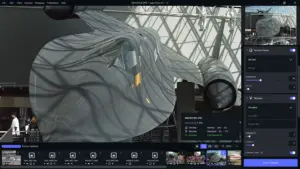
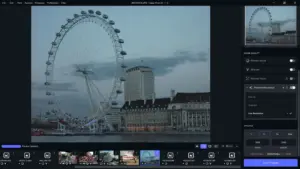





Le patch n’a pas fonctionné pour moi!!!! Telecharcher 26 GB de filtres IA pour rien.. Merci Quand même!! . Mais je ne telecharge plus de cette equipe. TNT etait les kings . Depuis on a pas trouve egal.. Mais tout évolue.. Bon vent a vous et ceux qui telechargé et que cela fonctionne .
If the patch doesnt open and asks for permission or what not do this:
1. Type chmod +x in Terminal (with the space)
Don’t press Enter yet
Go to Finder, find the Patch.command file
2. Drag it straight into the Terminal window
3. You should see the full path appear after chmod +x
Now press Enter
4. It should look something like: chmod +x /Users/your username/Folder/Patch.command
Then no output = success.
5. After that, double-click the patch file to run it.
6. Enter your password
=)
❤️
not working, patch.command doesnt open on m5 macbook Air
It shuts down on me while analizing photo , macbook neo
Same here. Works great—until I try and open a file.
Install TopazPhoto.pkg.
Then open the Patch.command file and enter your Mac password.
Done.
me pide una contraseña
Where’s the torrent link?
Click the Free Download button and a popup will appear where you can choose which version to download — for ARM or Intel.
🙏🏼 Many thanks.