
Topaz Gigapixel AI 1.3.2 for Mac

Topaz Gigapixel
Name: Topaz Gigapixel 1.3.2.torrent (180-679.43MB)
Version: 1.3.2
Operating System: macOS
Program license: Free
Developer: Topaz Labs
Interface language: English
Review by:
Downloads 131
Rating
4.3 33 Click to rate
Checked
Download Now

Topaz Gigapixel AI

A desktop AI image upscaler for macOS that enlarges photos while trying to preserve detail—aimed at photographers, retouchers, and print prep who need more resolution than the original file provides.

How upscaling works on Mac

Topaz Labs positions Gigapixel as a dedicated upscaling tool rather than a general photo editor. You load single images or batches, pick a model suited to the content—Standard or High Fidelity for general photos, Wonder for generative detail, Recover or Face Recovery for portraits—and choose a scale factor up to 16x. Processing can run locally on Apple Silicon or Intel Mac GPUs for most core models, or through Topaz cloud rendering where required (generative Wonder models on Intel Macs rely on cloud). Batch queues, before/after preview, and export to common formats fit a workflow of archiving scans, preparing large prints, or rescuing low-res client assets.

Plugins extend the same engine into Adobe Photoshop (via Automate) and Lightroom Classic as an external editor, so you can upscale without rebuilding a separate standalone pipeline—though cloud rendering is not available from the Lightroom plugin path according to Topaz documentation.

Models, hardware, and licensing

The current Gigapixel app supersedes the older Gigapixel AI branding and ships a wide model set: Wonder 2/3, Standard, Standard Max, High Fidelity, Low Res, Text & Shapes, Art & CG, Recover, Redefine, and Face Recovery, with unlimited local and cloud rendering on paid plans. macOS 12 Monterey through macOS 15 Sequoia are listed as supported; Apple Silicon Macs get the best local performance, while Intel Macs may need cloud for generative models. Licensing is subscription-based—standalone Gigapixel or bundled Topaz Studio—with Personal and Pro tiers differing mainly in cloud concurrency and commercial terms.

Version 1.3.2 in practice

Build 1.3.2 (June 17, 2026) is a stability and format patch: JXL import, HEIC crash fixes via an OpenImageIO update, cleaner Face Recovery v3 rendering, and a Mac installer fix when unpacking Wonder models. Topaz also documented batch-processing stalls affecting some users shortly after release and advised reverting to 1.3.1 until a fix ships—worth weighing if your workflow is queue-heavy. For occasional upscales and new format support, 1.3.2 is the current vendor release; for large unattended batches, check community status or stay on 1.3.1 if you hit freezes.
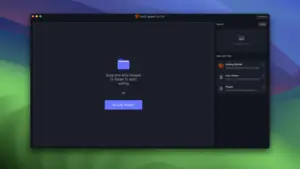

Topaz Gigapixel AI 1.3.2 for Mac — Image Upscaler

Pros & Cons Show details

✅ PROS

  • Specialized upscaling models (Wonder, High Fidelity, Face Recovery, and others) let you match processing to portraits, text, art, or general photos instead of one generic enlarger.
  • Local GPU rendering on Apple Silicon covers most core models, which keeps sensitive client work on-machine when cloud is not required.
  • Batch queue, plugin hooks for Photoshop and Lightroom Classic, and up to 16x scaling suit high-volume print and archive workflows on Mac.
  • Version 1.3.2 adds JXL import and HEIC stability fixes, expanding usable source formats beyond JPEG, PNG, and TIFF alone.
  • Unlimited local and cloud rendering on paid plans avoids per-image export caps that can interrupt large catalog upscaling jobs.

❌ CONS

  • Subscription pricing (standalone or Topaz Studio bundle) adds ongoing cost compared with one-time upscaler alternatives.
  • Generative Wonder models on Intel Macs depend on cloud rendering, which ties output to network speed and Topaz account availability.
  • Topaz acknowledged batch-processing stalls and crashes in 1.3.2 for some users and recommended rolling back to 1.3.1 until patched—a serious limitation for queue-heavy Mac workflows.
  • Large upscale jobs can consume substantial GPU memory and time; very high megapixel outputs may still push hardware limits or require cloud fallback.
  • Lightroom Classic plugin integration does not offer cloud rendering, so Mac users in Lightroom lose that path even when the standalone app supports it.
✅ What's New in 1.3.2 Show details
  1. [JXL support] — Adds JPEG XL import so Mac users can open JXL sources directly in Gigapixel (export to JXL is not listed in this release).
  2. [OpenImageIO update] — Updates OpenImageIO and fixes various HEIC-related crashes when loading Apple HEIC files on Mac.
  3. [Face Recovery v3 rendering] — ImageAI update fixes face rendering artifacts in Face Recovery v3 local/cloud output.
  4. [Mac Wonder installer] — Mac installer no longer gets stuck unpacking Wonder models during setup or repair installs.
  5. [Thumbnail generation crash] — Fixes a crash path when generating thumbnails in the browser/queue UI.
  6. [Instance merge fix] — Resolves cases where the app could not merge multiple running instances as expected.
  7. [Known batch issue] — Topaz is investigating batch stalls/crashes in 1.3.2; affected users were advised to revert to 1.3.1 temporarily.

Older Versions

Version Publication date
Topaz Gigapixel AI v1.3.2 Latest Current
Topaz Gigapixel AI v1.1.3
Topaz Gigapixel AI v1.1.2

Installation & Troubleshooting FAQ

7 questions

Common issues when installing macOS apps

Alternatives

Important

First, install TopazGigapixel.pkg.

Next, open Patch.command and enter your Mac password.

Join the Conversation

Your email address will not be published. Required fields are marked *