Storyist
A macOS writing environment aimed at novelists and screenwriters who want manuscript formatting, story planning, and long-form organization in one project file instead of juggling a word processor and separate outliner.
Typical Mac workflow
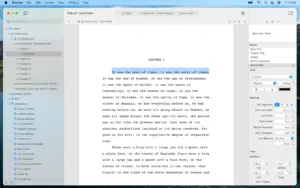
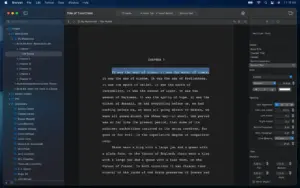
You start from a template—novel, screenplay, or your own—and build the story on index cards and customizable plot, character, and setting sheets while the main editor handles rich text, comments, images, headers, footers, and style sheets. Tab-and-return shortcuts switch screenplay elements; the outliner and corkboard give a high-level view when you need structure before or during drafting. Project search, snippets, word-count goals, and autosave with macOS Versions keep daily writing sessions predictable on a single Mac or across machines when projects live in iCloud.
When a draft is ready, Storyist exports submission-oriented formats: print-ready PDF through the book editor, plus ePub and Kindle editions. Imports cover RTF, Word, Scrivener, Fountain, and Final Draft FDX, which helps if you are moving from another toolchain or sharing with a production partner. A companion Storyist app on iPhone and iPad lets you review and revise on the go, though the iOS build is sold separately from the Mac license.
Licensing and version 4.4.1
Storyist 4 requires macOS 10.14 Mojave or later and runs on Intel and Apple Silicon Macs. You can download a 14-day trial from the developer site or the Mac App Store; after the trial, viewer mode remains free and editing unlocks with a one-time purchase (about $59 on the website or via in-app purchase, with upgrade pricing for Storyist 3 owners). Version 4.4.1 is a small maintenance update: the Mac App Store notes that the “show invisible characters” preference now persists when moving between files in a project and lists minor macOS 26 compatibility tweaks. The public changelog on storyist.com currently ends at 4.4 (November 2025), which addressed Scrivener v2 image imports and a macOS Tahoe navigation-bar crash.